Waypoint prototype screenshots
Full-page captures at 1440px, light theme, of every prototype and its key states, in click-through order. Each caption names the file and links to the live page.
Exploration 01 · Exploration 02
Exploration 01 · four concepts
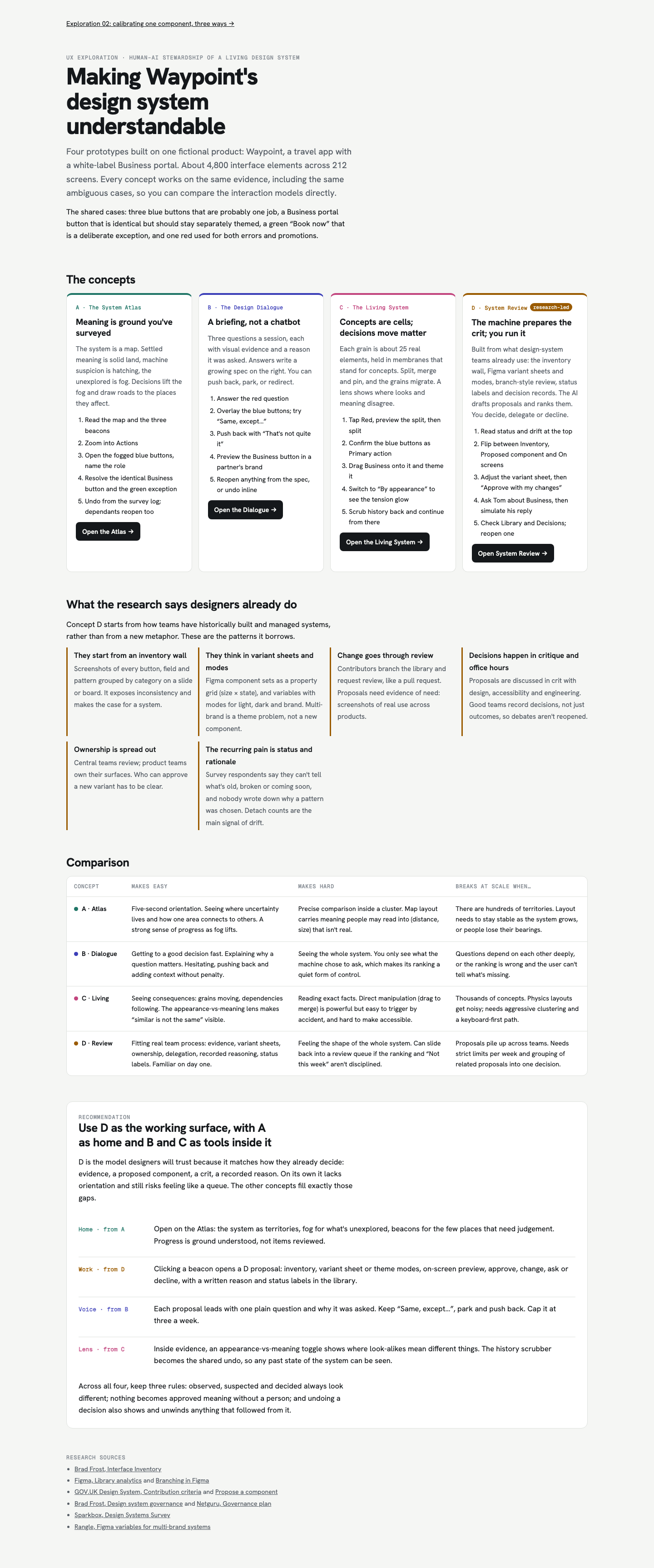 01-00-overview.png · live pageExploration 01 overview: four concepts, research, comparison and recommendation.
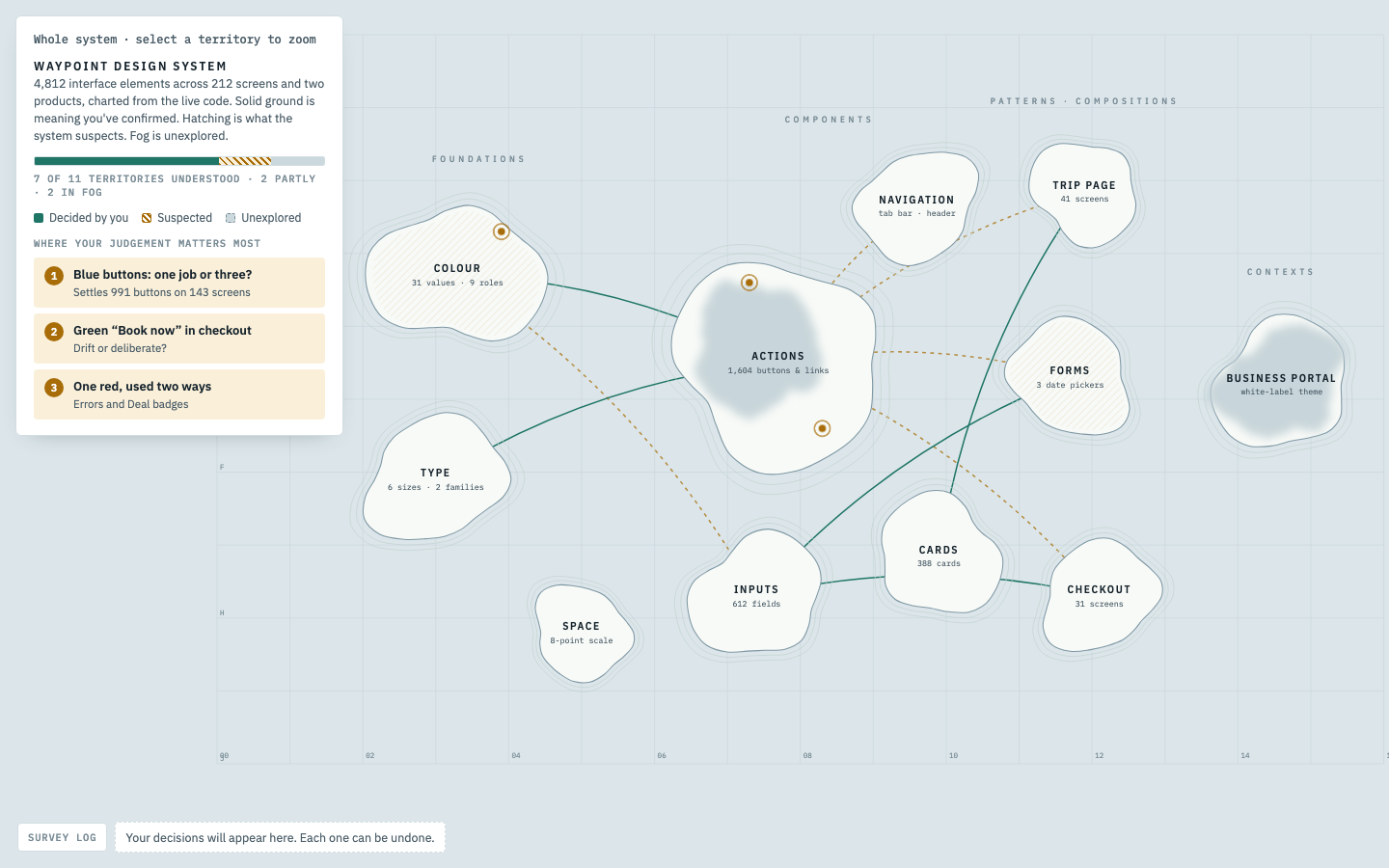 01-A1-atlas-world.png · live pageA · System Atlas: whole-system map. Solid land = decided, hatched = suspected, fog = unexplored. Legend lists the three places needing judgement.
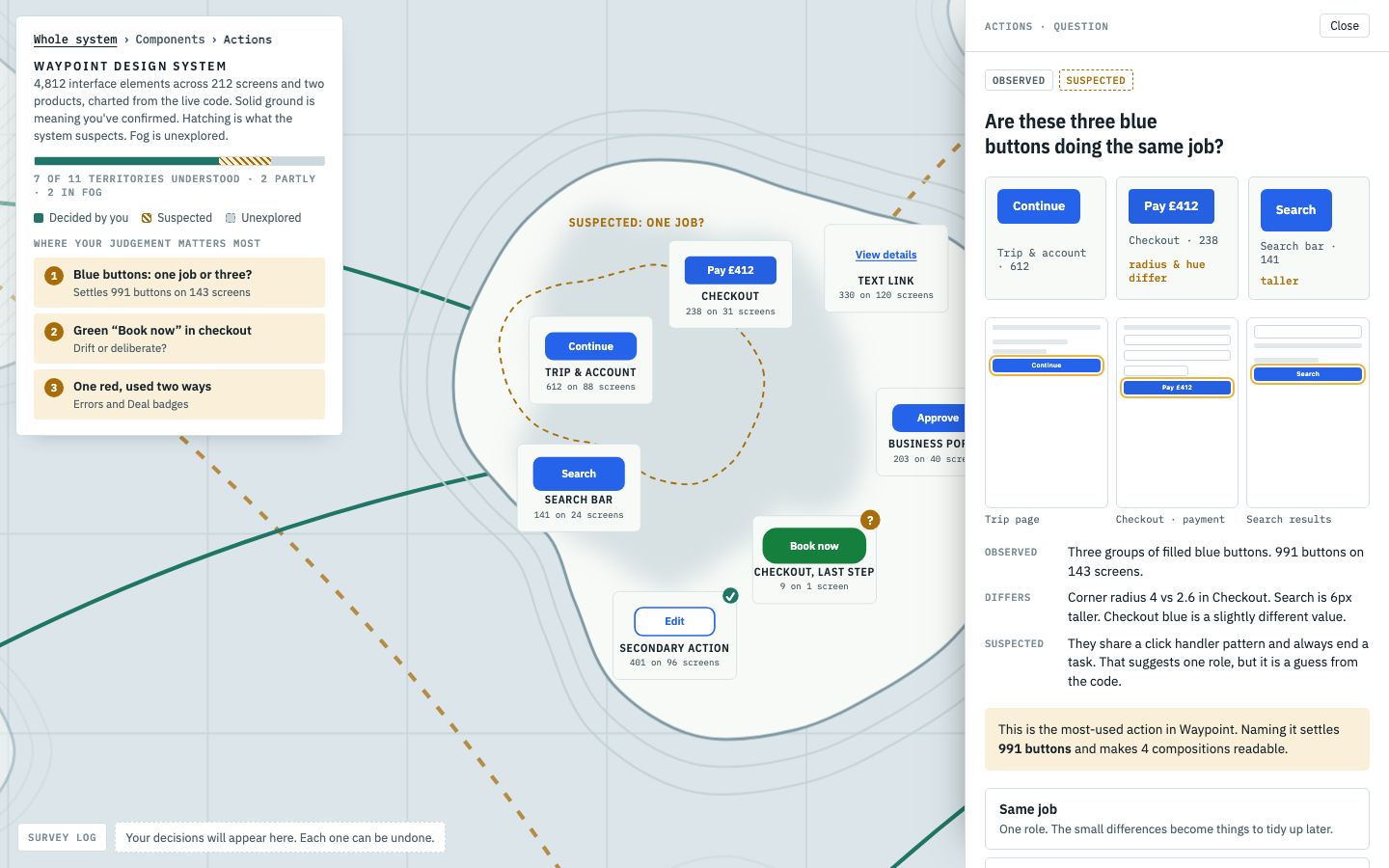 01-A2-atlas-question.png · live pageA · Zoomed into Actions; the evidence drawer asks whether three blue buttons are one job, with specimens, screens, observed/suspected facts and options.
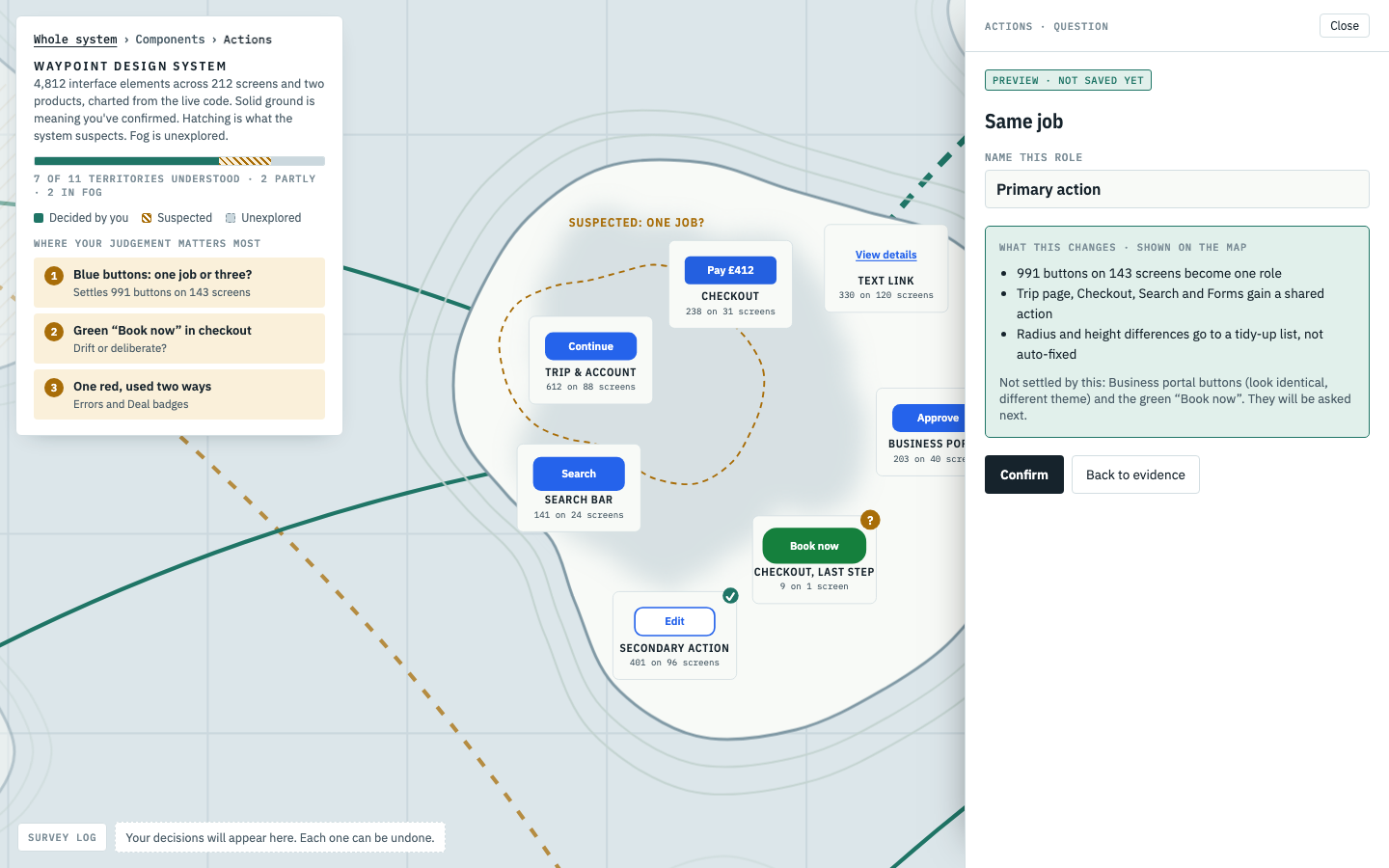 01-A3-atlas-preview.png · live pageA · Preview before confirming: name the role and see what changes; affected roads animate on the map.
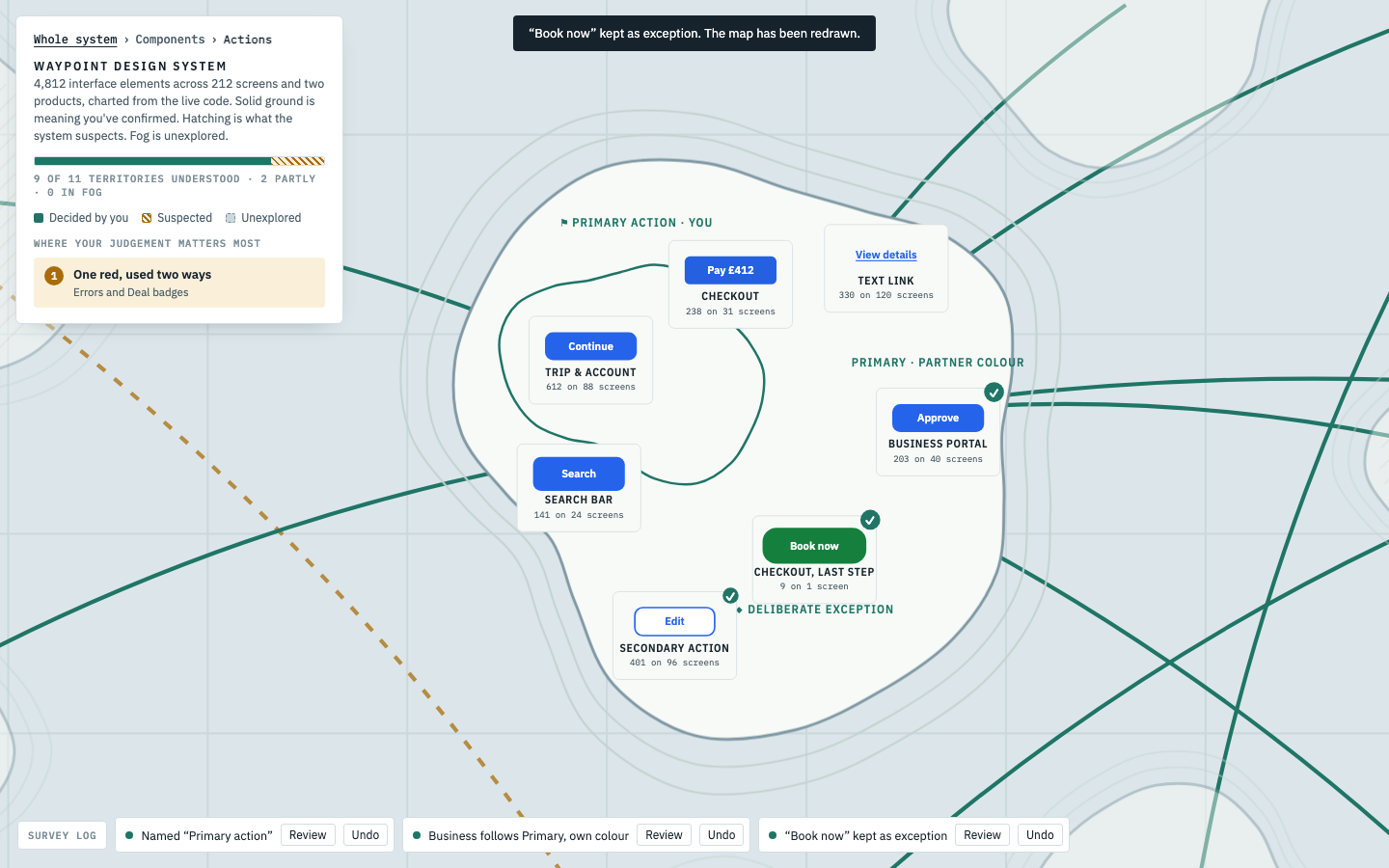 01-A4-atlas-after.png · live pageA · After three decisions: fog lifted, Primary action flagged as decided, Business themed, Book now marked as an exception. Survey log at the bottom allows undo.
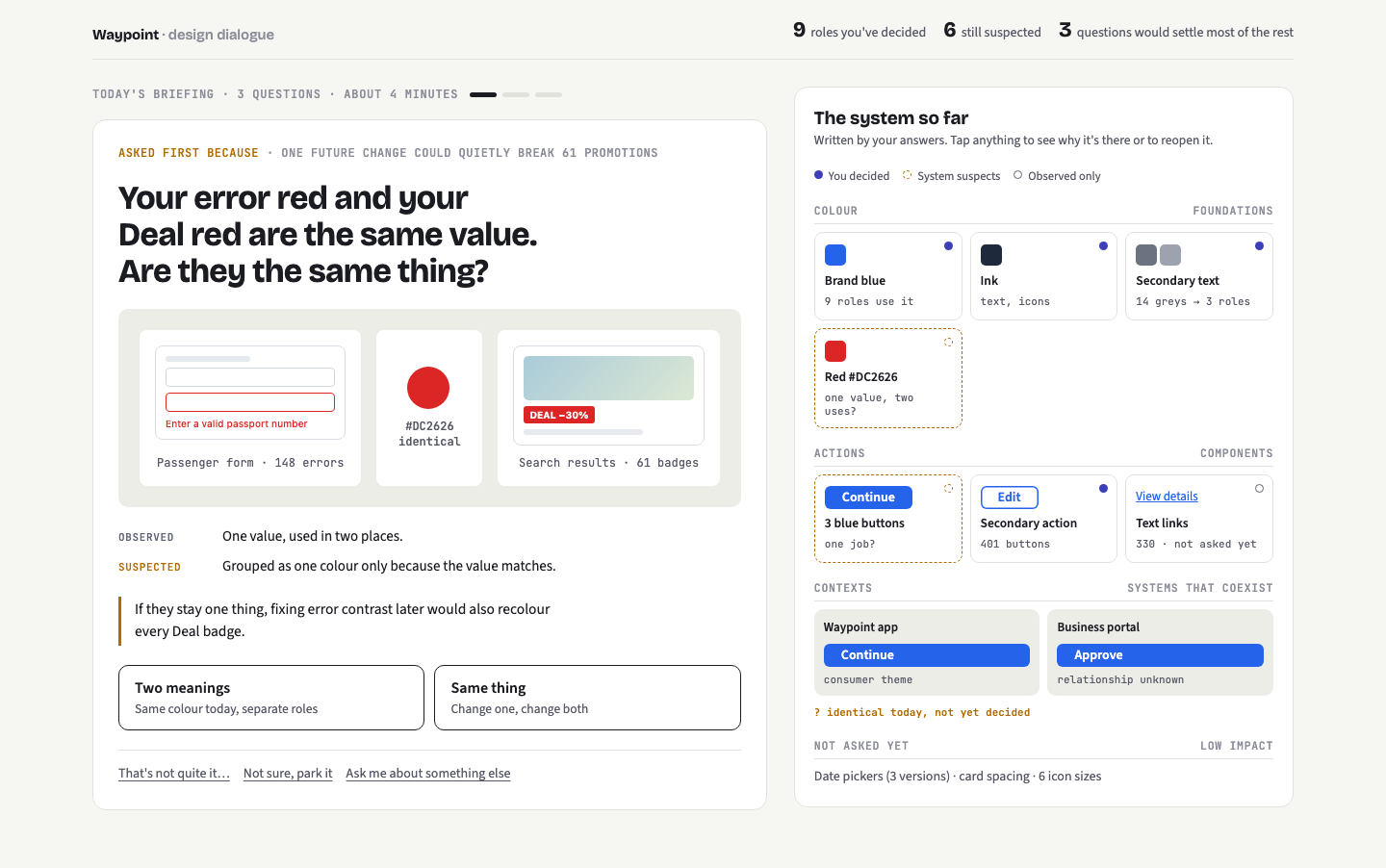 01-B1-dialogue-start.png · live pageB · Design Dialogue: today’s briefing. First question (one red used for errors and deals) with evidence; the emerging system on the right.
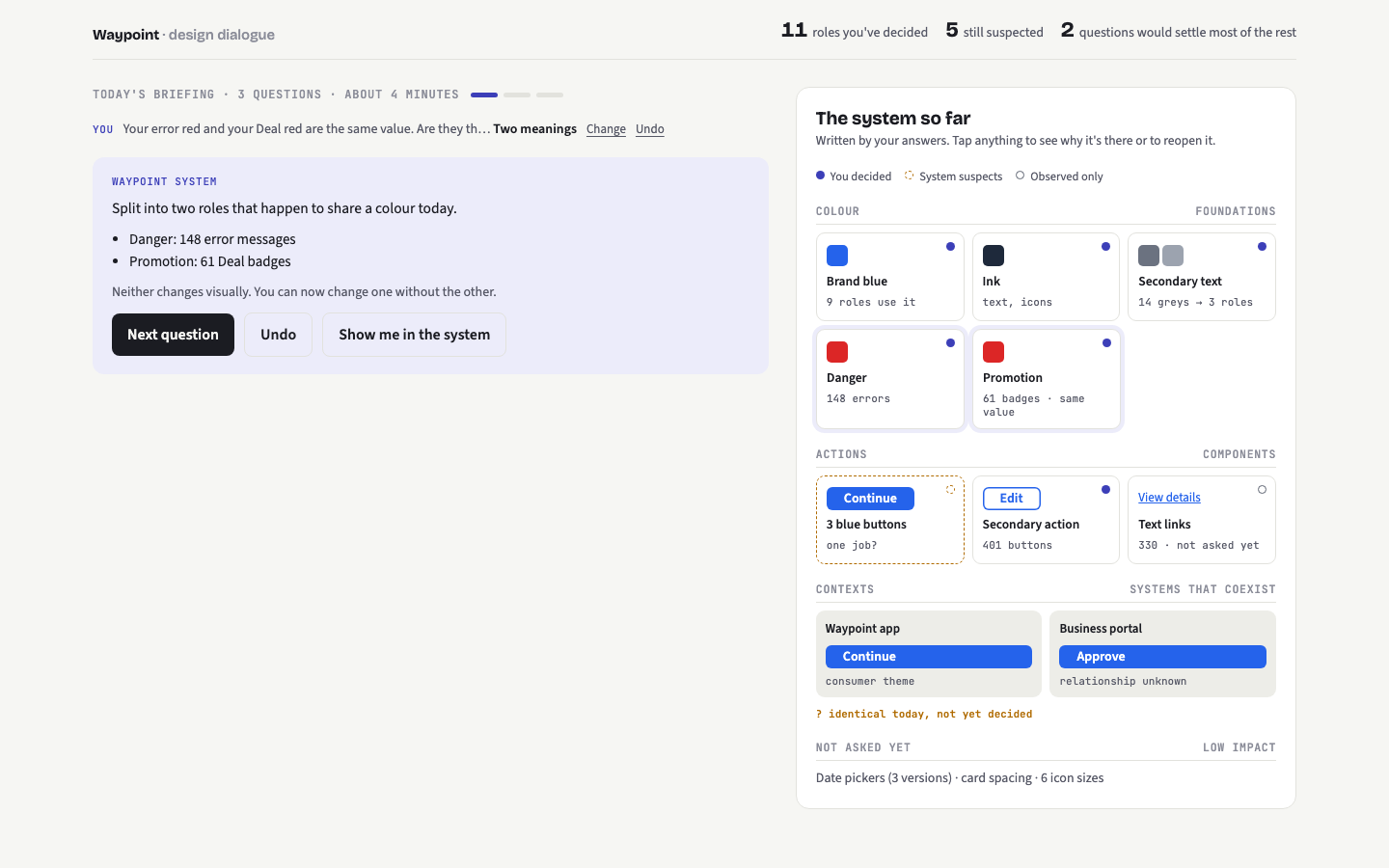 01-B2-dialogue-reply.png · live pageB · After answering: the system replies with what changed and the codex gains Danger and Promotion tiles. Undo inline.
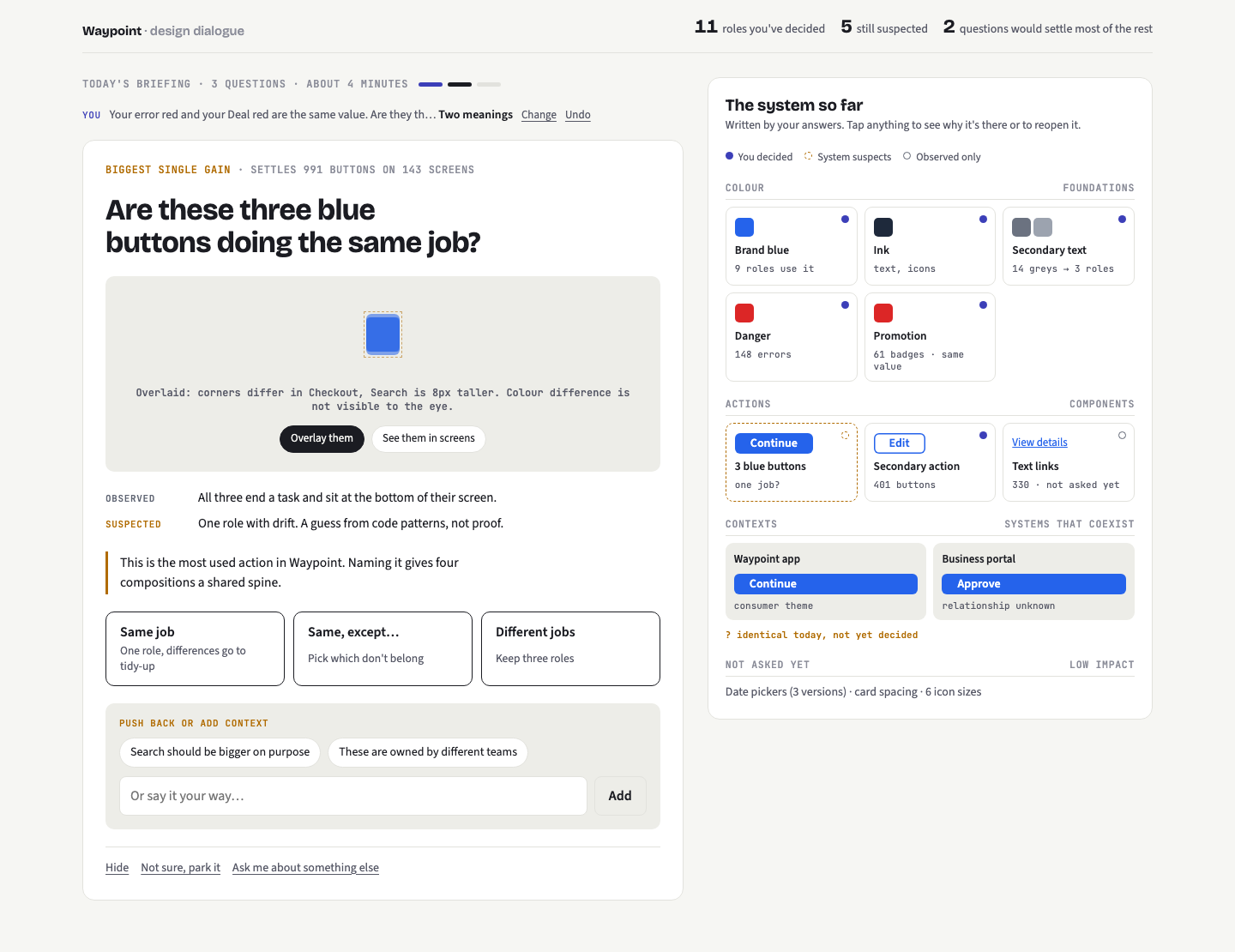 01-B3-dialogue-challenge.png · live pageB · Blue buttons question with the overlay view and the “push back” panel open (pre-written challenges or free text).
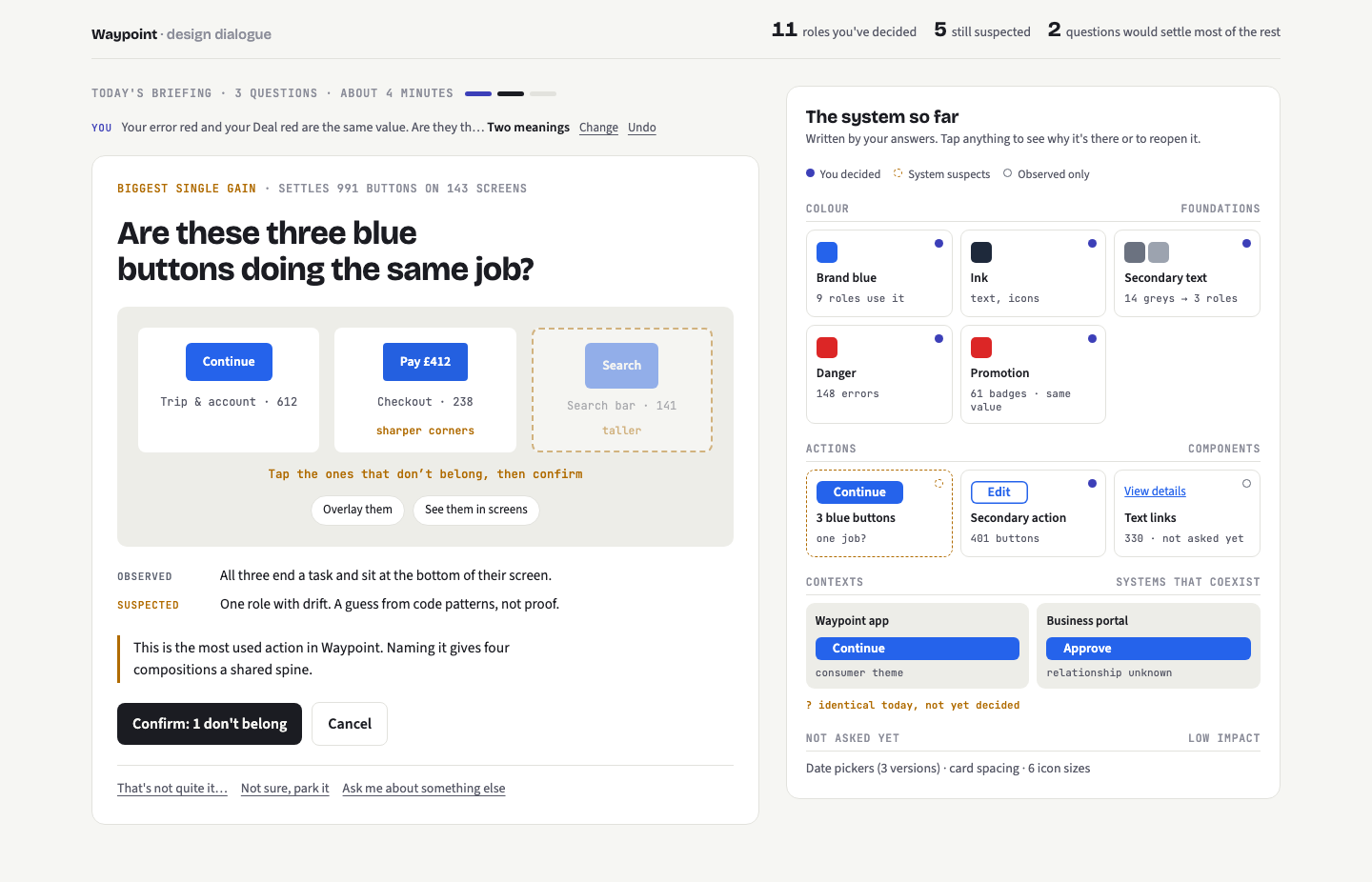 01-B4-dialogue-except.png · live pageB · “Same job, except…”: the designer taps the button that doesn’t belong before confirming.
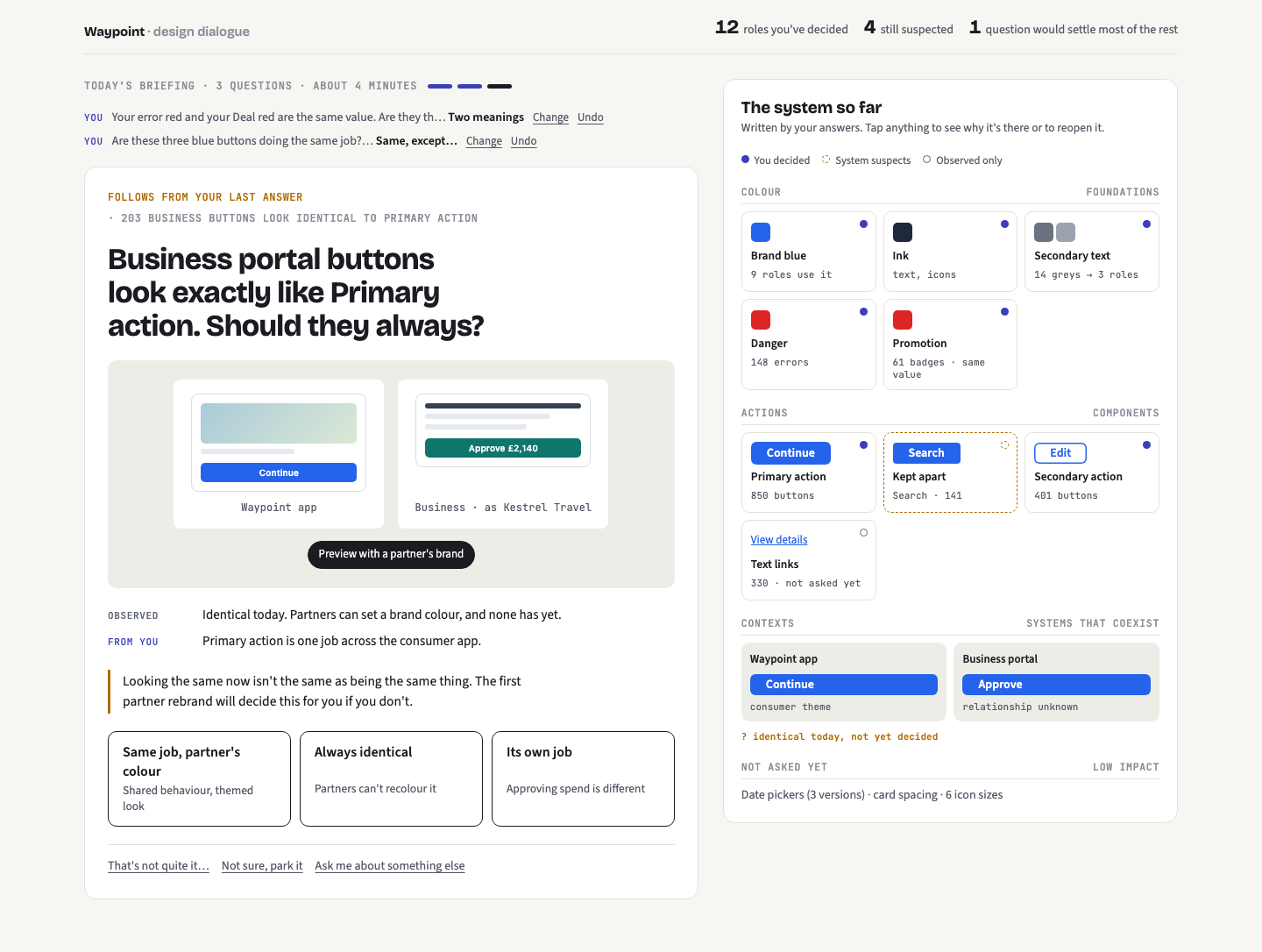 01-B5-dialogue-business.png · live pageB · Follow-up question raised by the previous answer, previewing the Business portal in a partner’s brand colour.
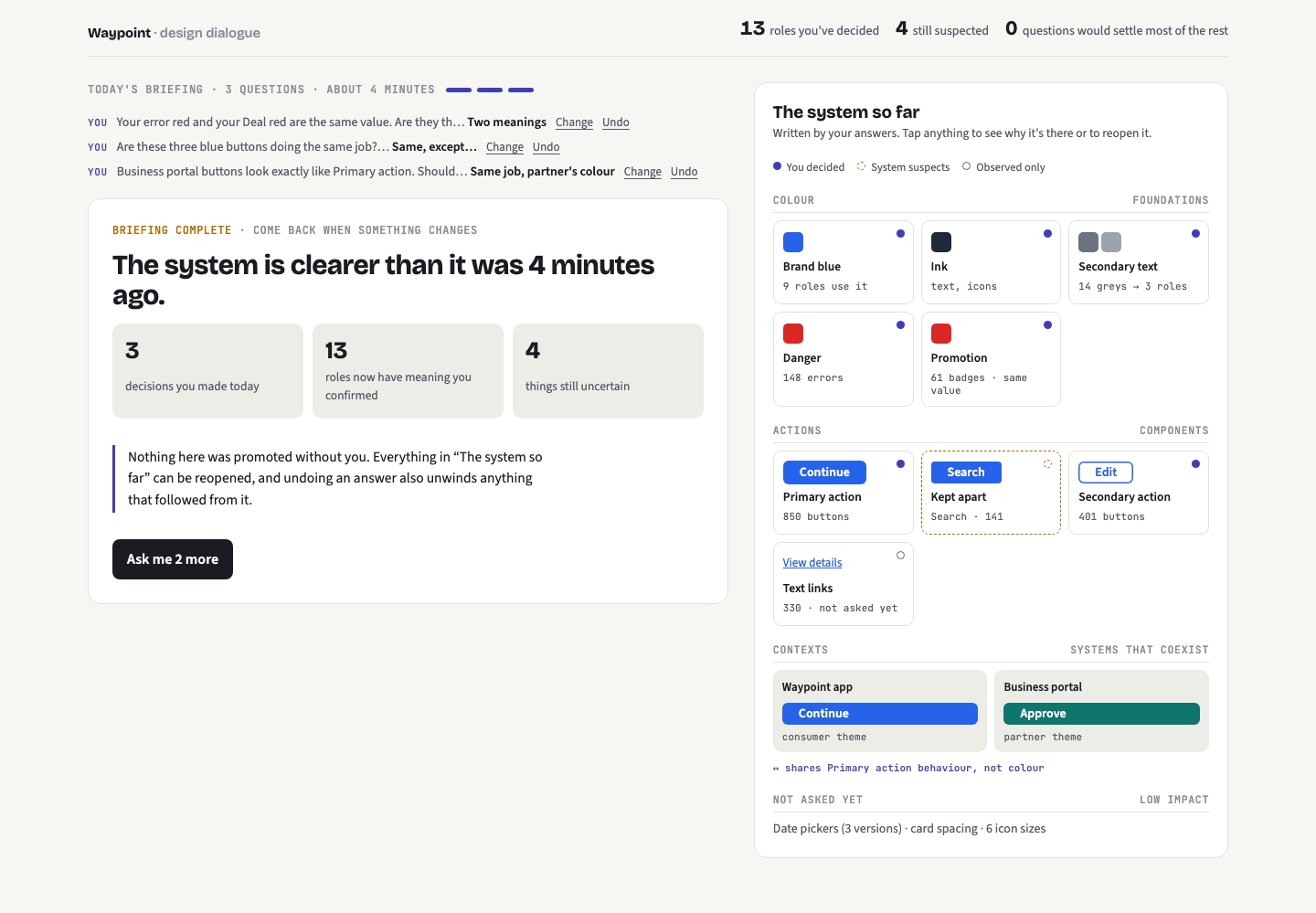 01-B6-dialogue-done.png · live pageB · Briefing complete: what changed, what remains uncertain, and the updated codex.
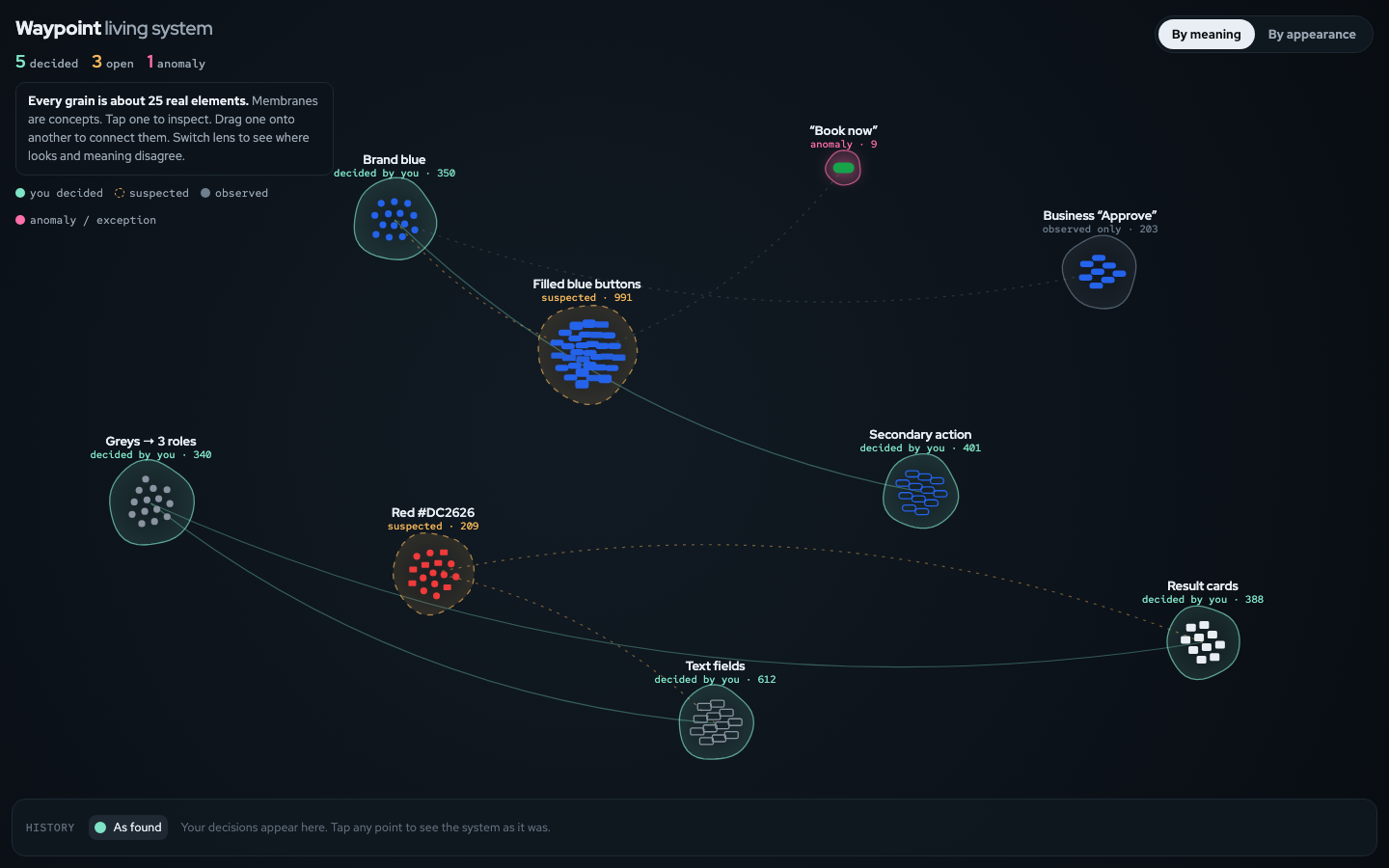 01-C1-living-start.png · live pageC · Living System: concepts as membranes of grains (each ≈25 elements). Teal = decided, amber dashed = suspected, pink = anomaly.
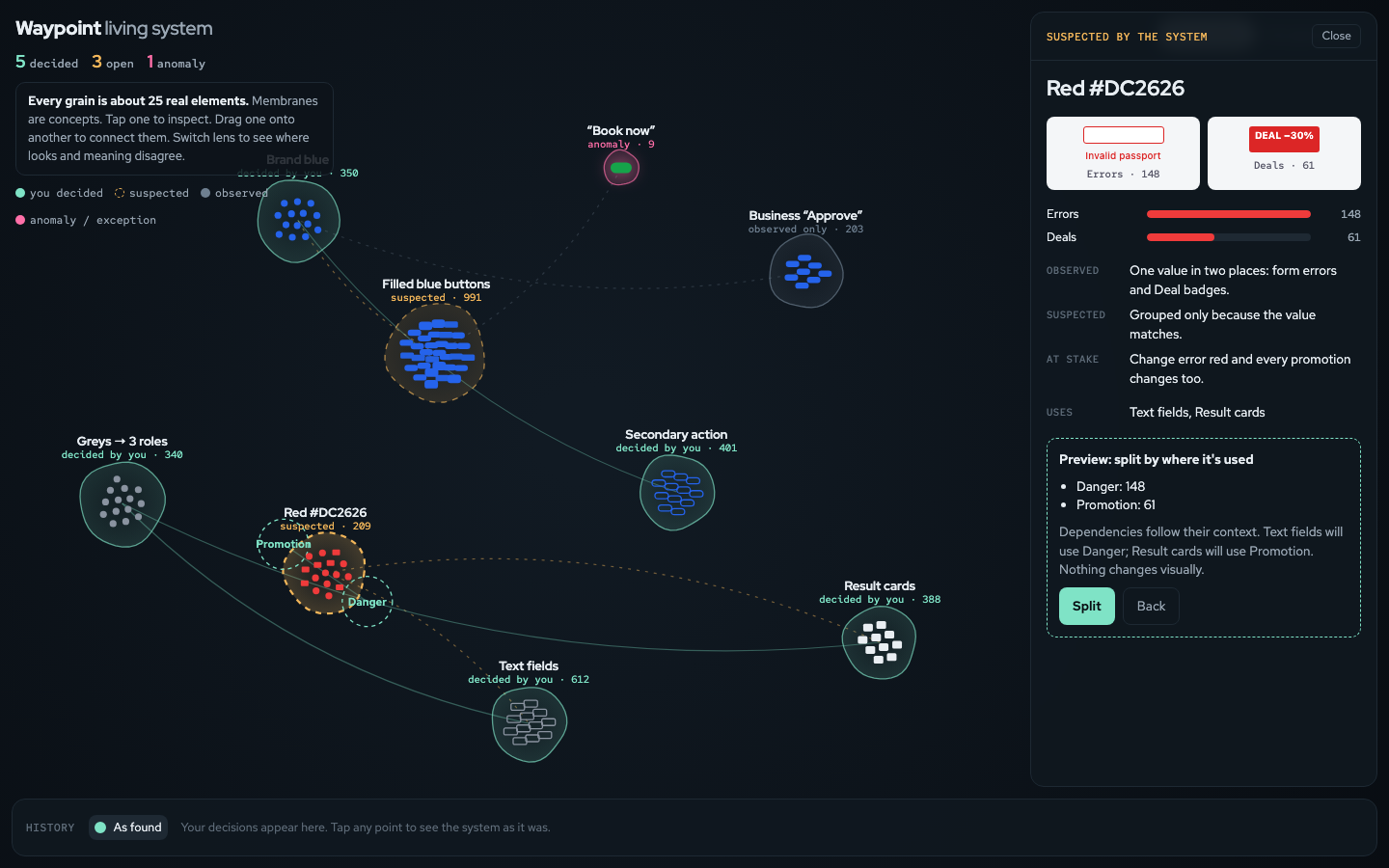 01-C2-living-split-preview.png · live pageC · Red selected: inspector shows evidence and a split preview; ghost targets show where grains will go.
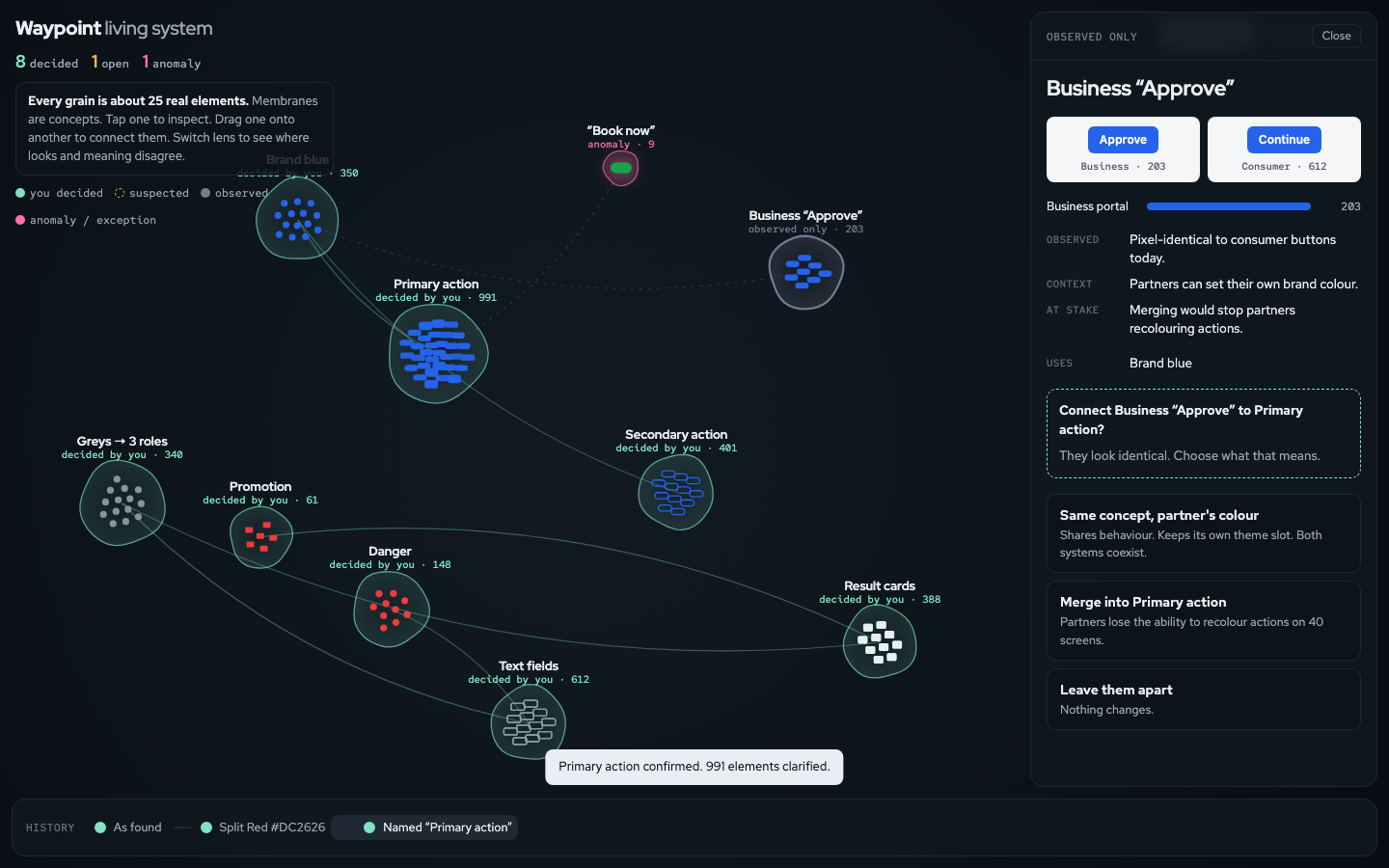 01-C3-living-connect.png · live pageC · Dragging Business onto Primary action asks what “identical” means: theme it, merge it, or leave apart.
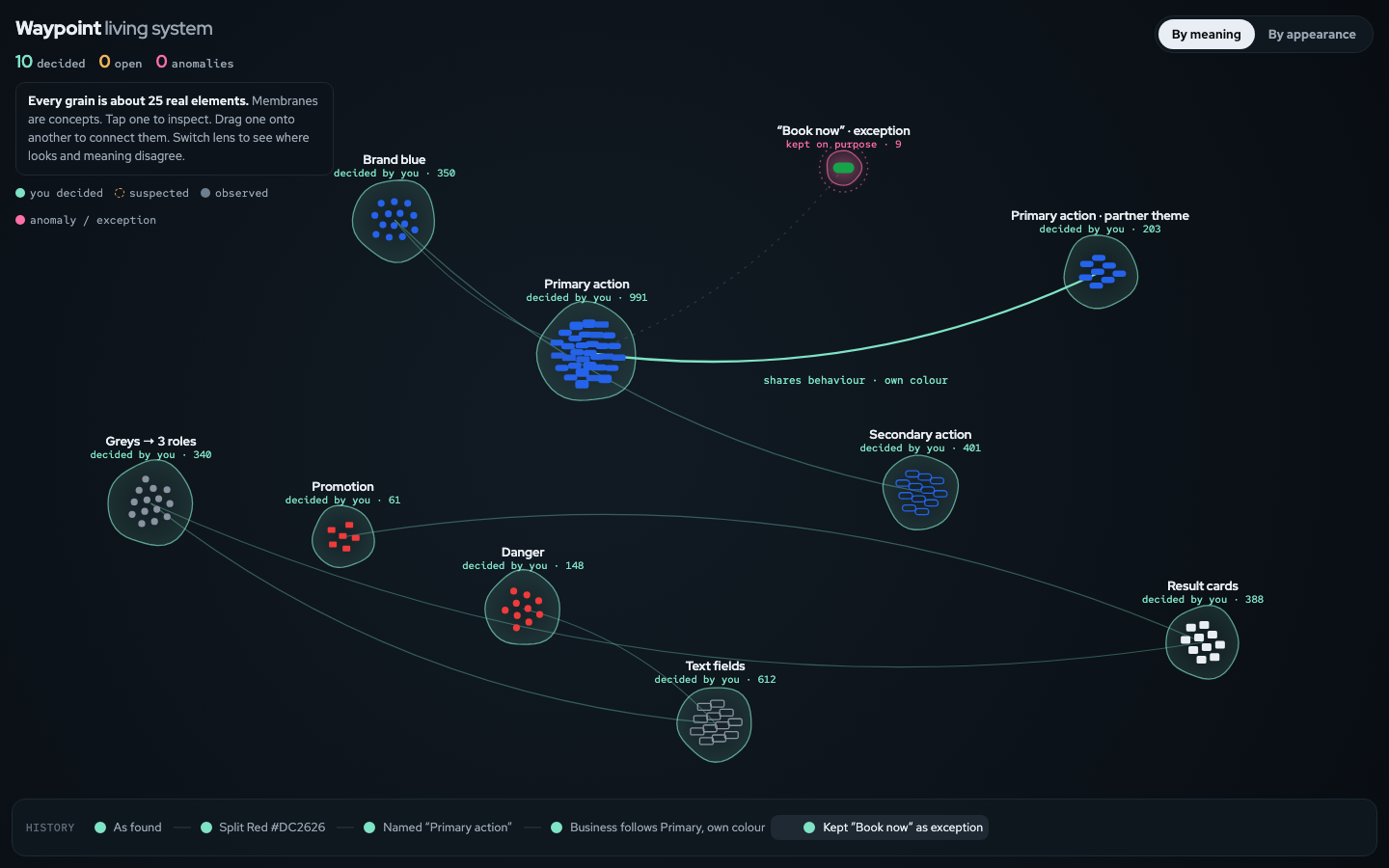 01-C4-living-after.png · live pageC · After decisions: Danger and Promotion split, Primary action confirmed, Business themed, Book now pinned as exception. History strip at the bottom.
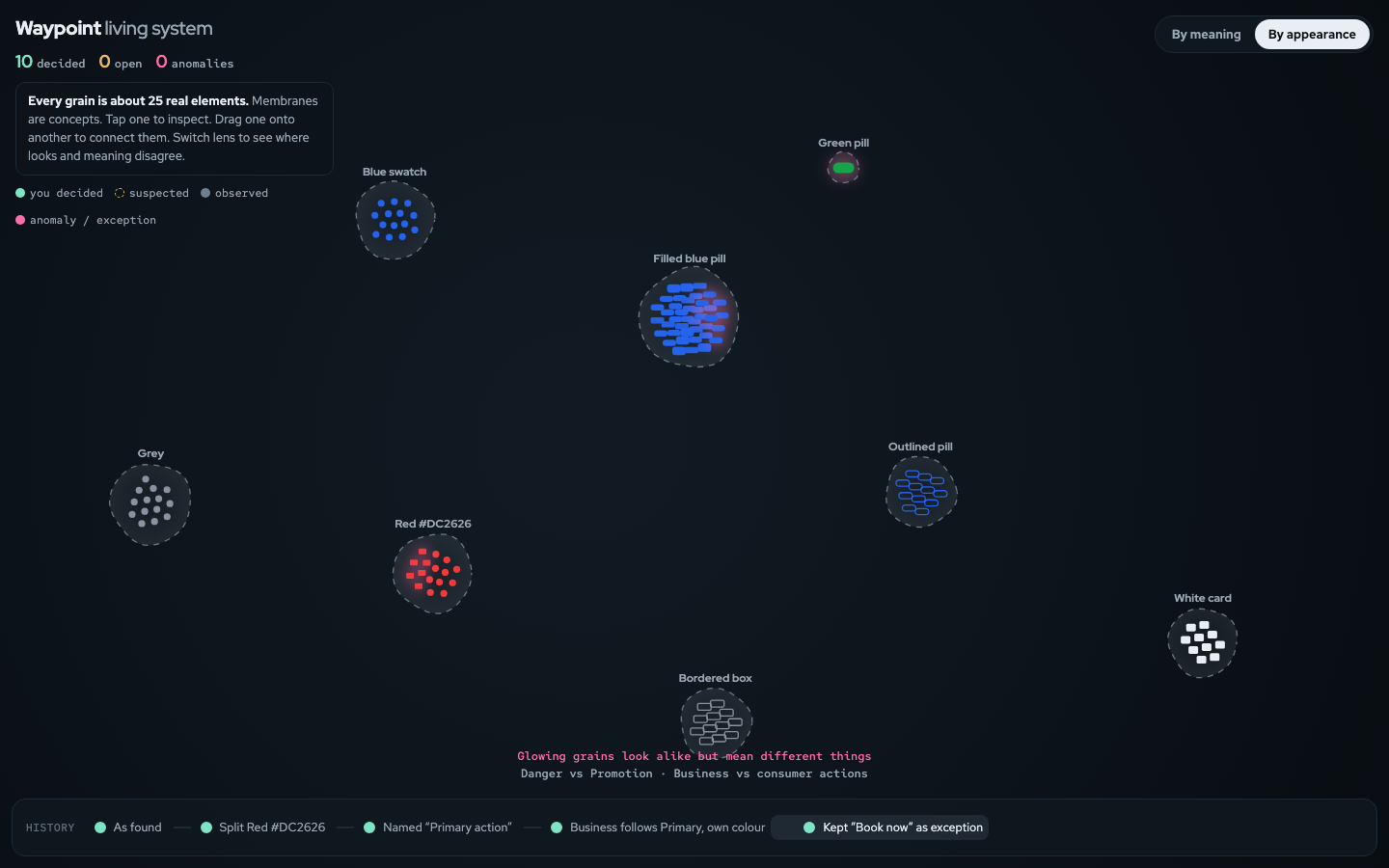 01-C5-living-appearance.png · live pageC · “By appearance” lens: grains regroup by look; glowing grains look alike but mean different things.
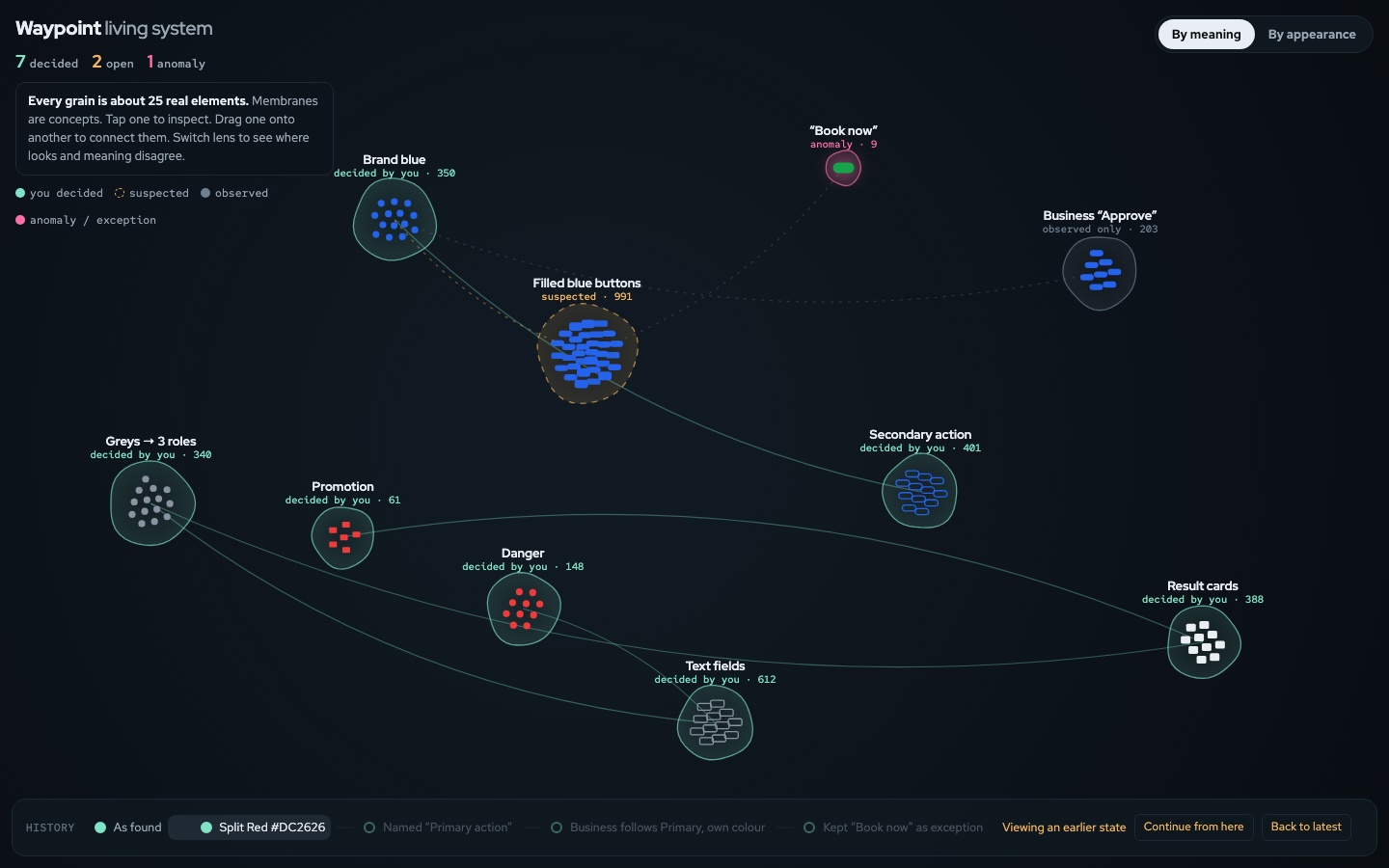 01-C6-living-history.png · live pageC · Scrubbing history back to an earlier state, with “Continue from here” or “Back to latest”.
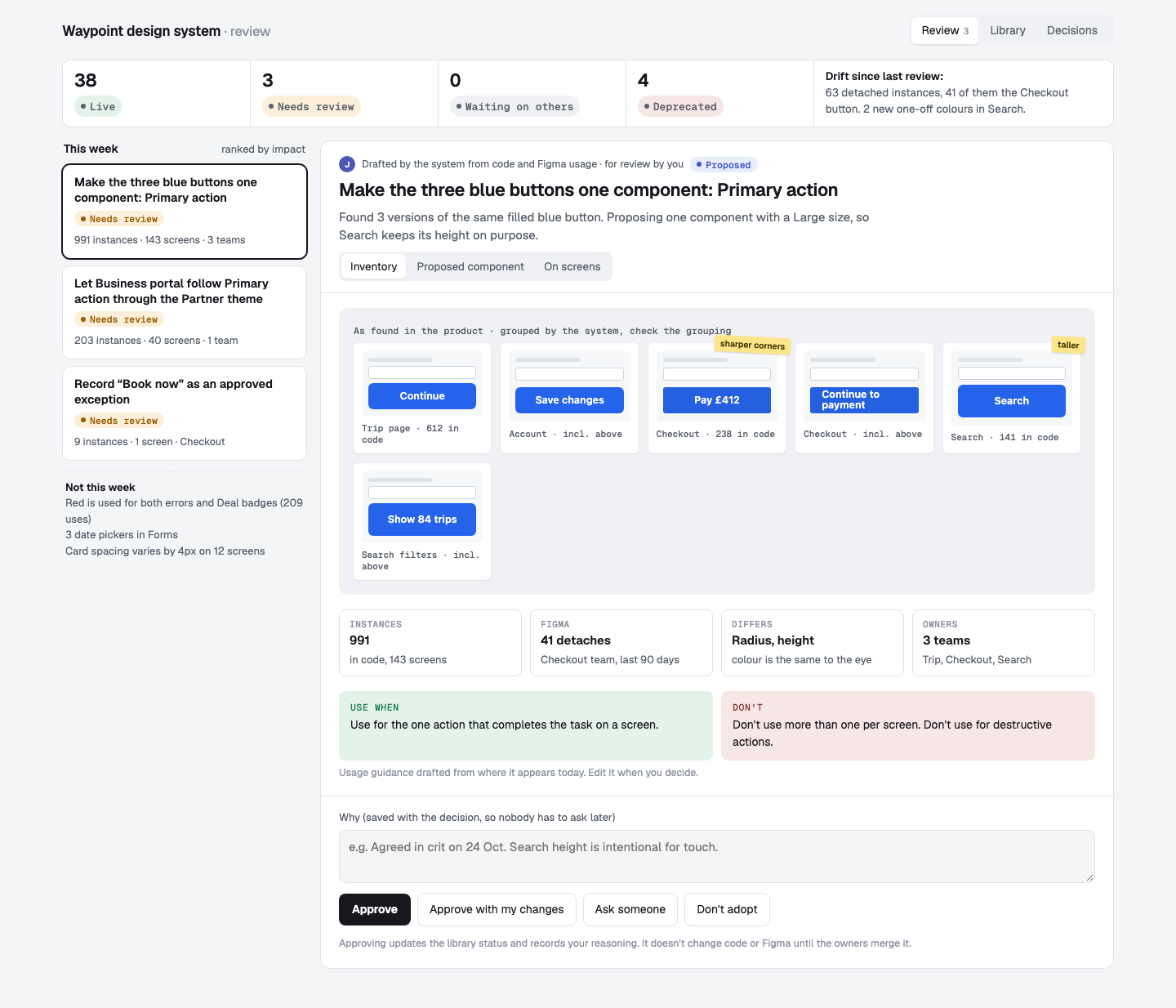 01-D1-review-start.png · live pageD · System Review: status strip, ranked review list, and a proposal with the inventory wall of screenshots as evidence.
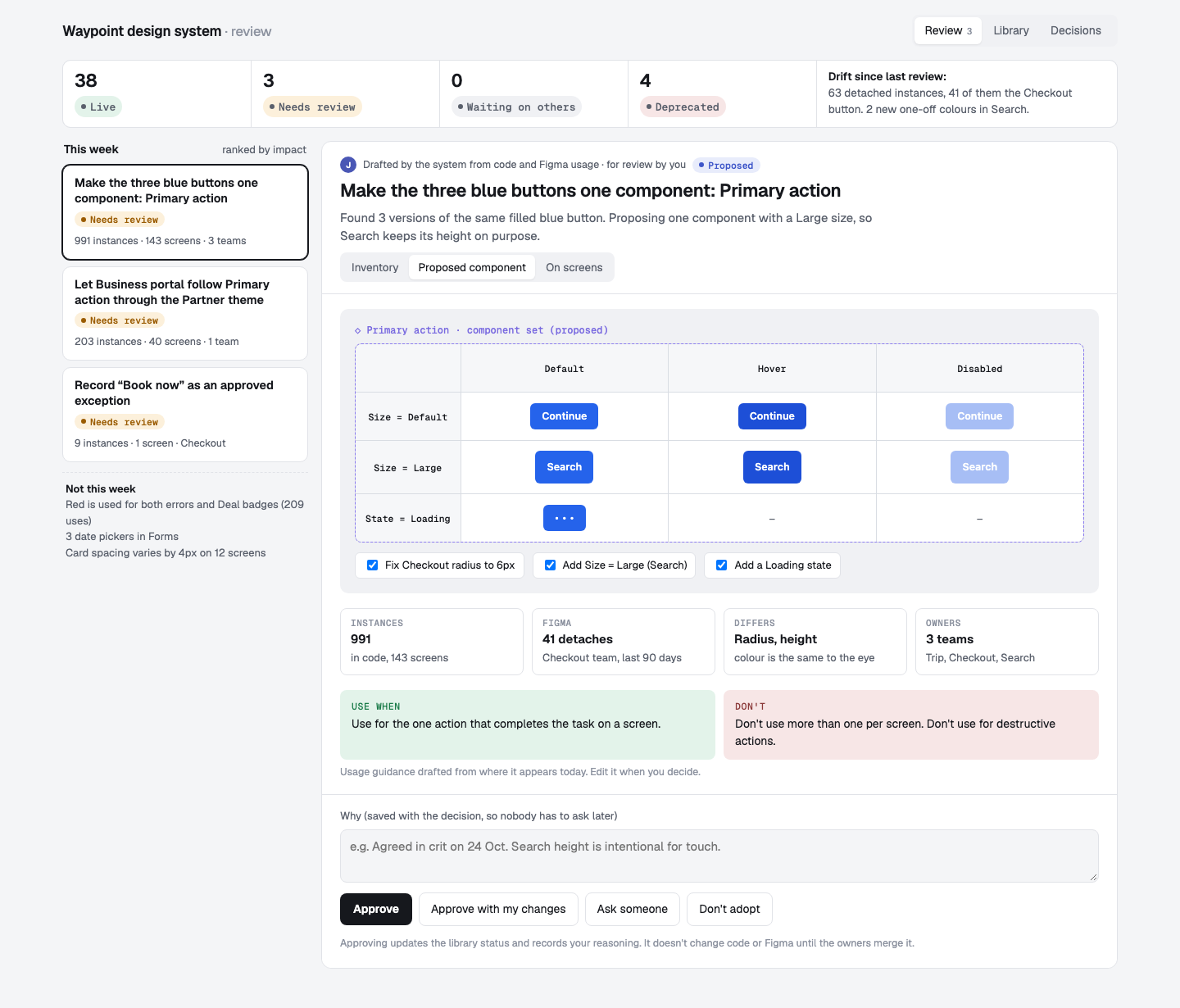 01-D2-review-variant-sheet.png · live pageD · The proposed component as a Figma-style variant sheet, adjustable before approving with changes.
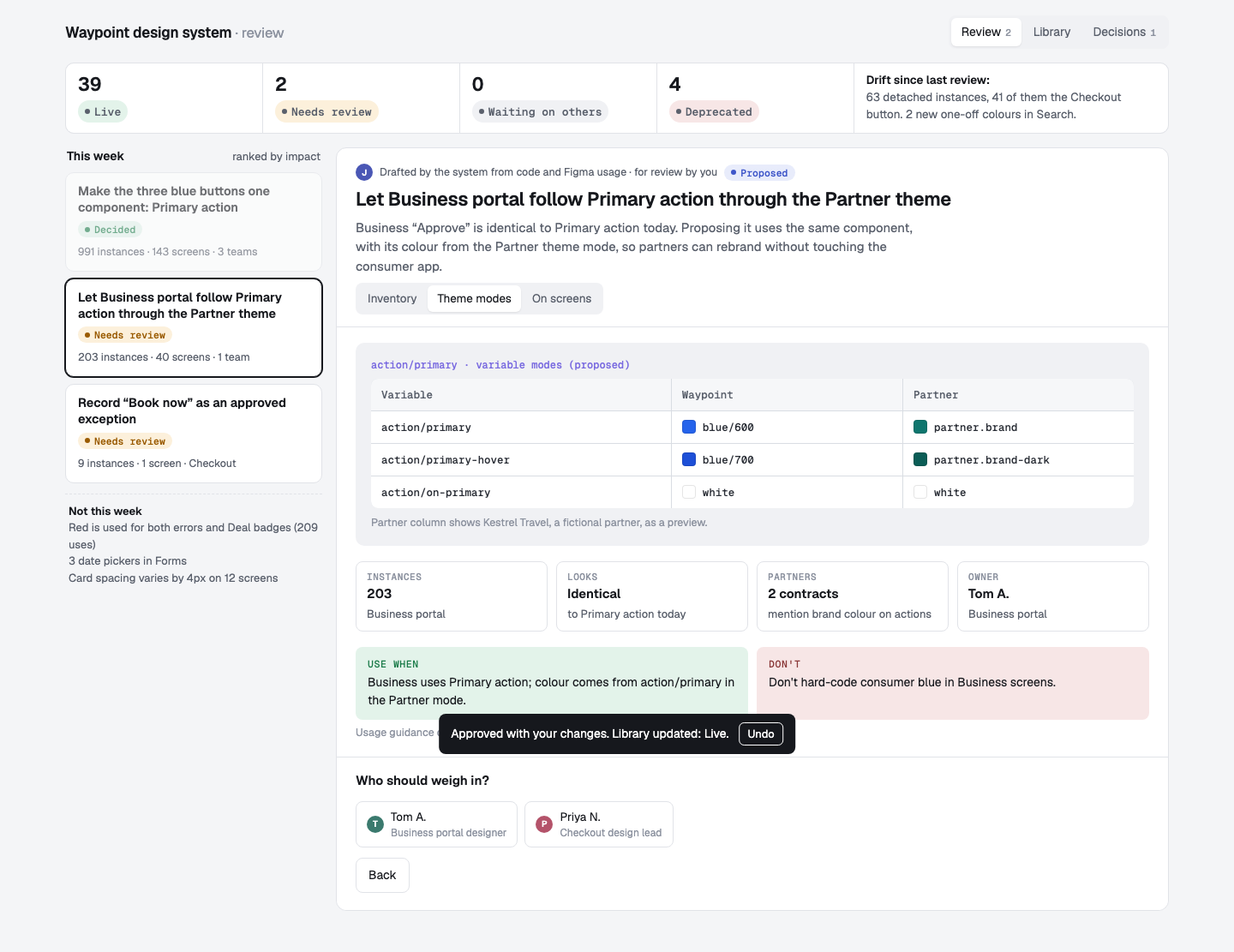 01-D3-review-ask.png · live pageD · Business proposal shown as variable modes; “Ask someone” delegates to the owner.
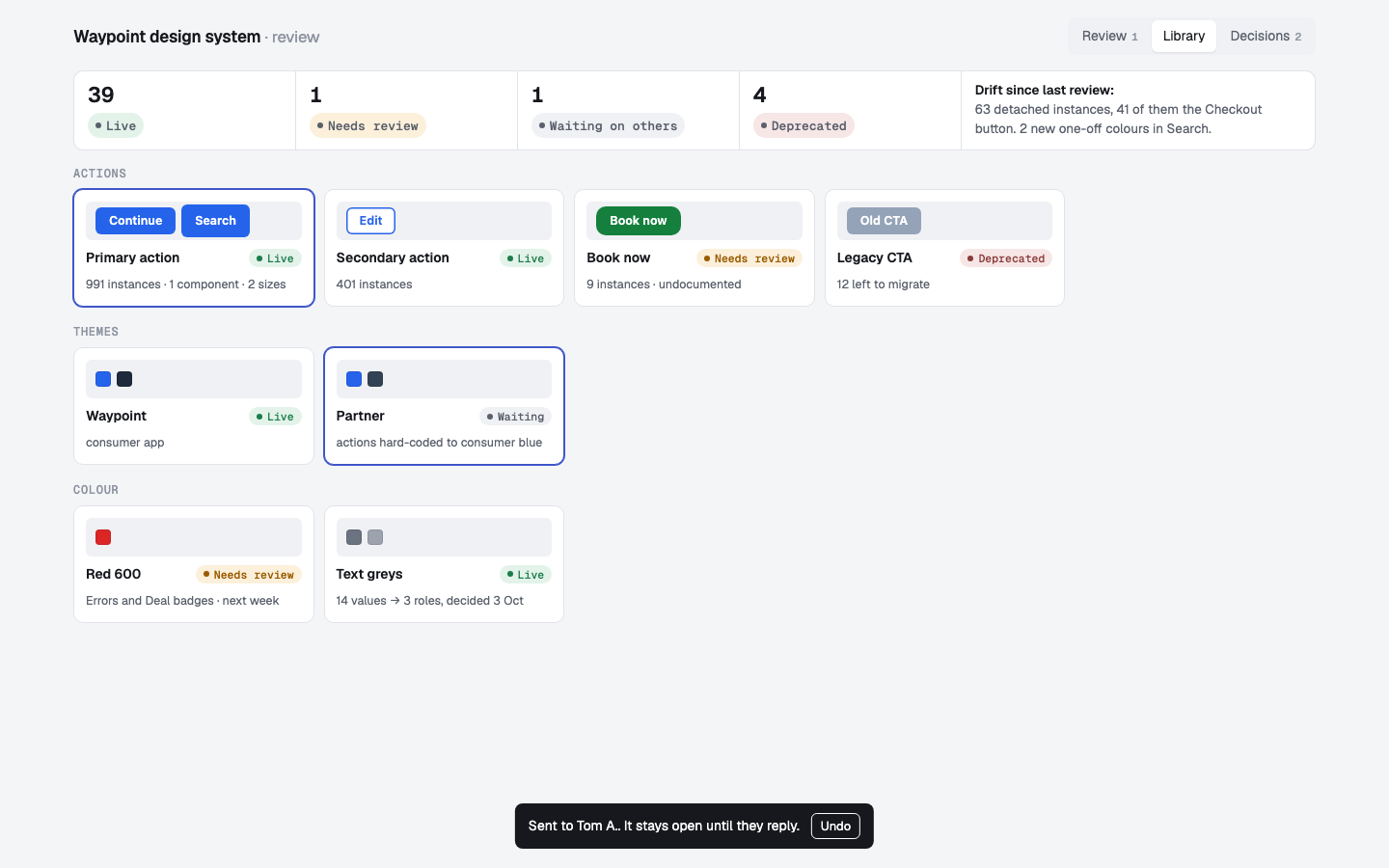 01-D4-review-library.png · live pageD · Library tab after decisions: status labels show Live, Waiting and Needs review.
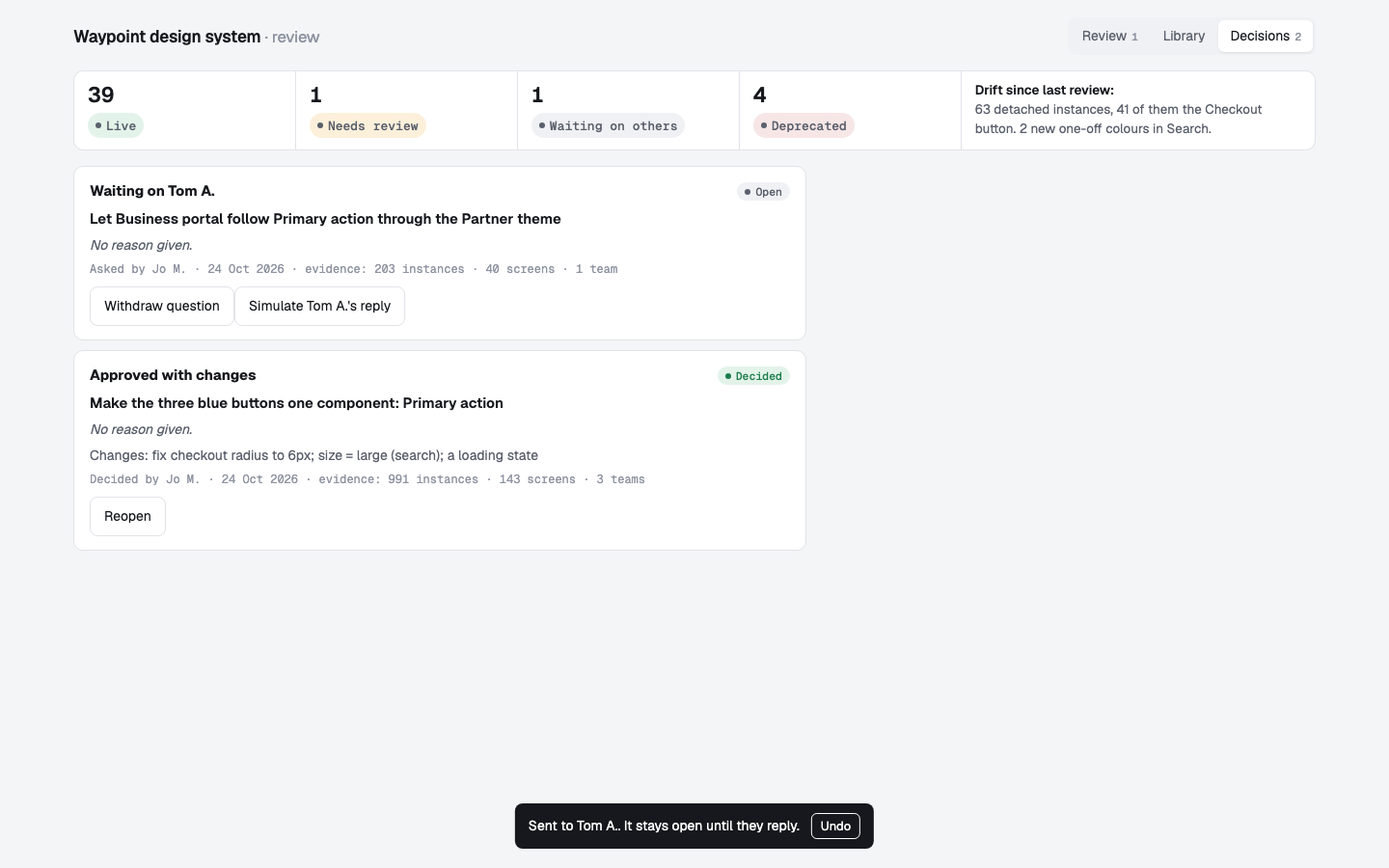 01-D5-review-decisions.png · live pageD · Decision records with reasons, evidence and Reopen.
Exploration 02 · calibrating one component
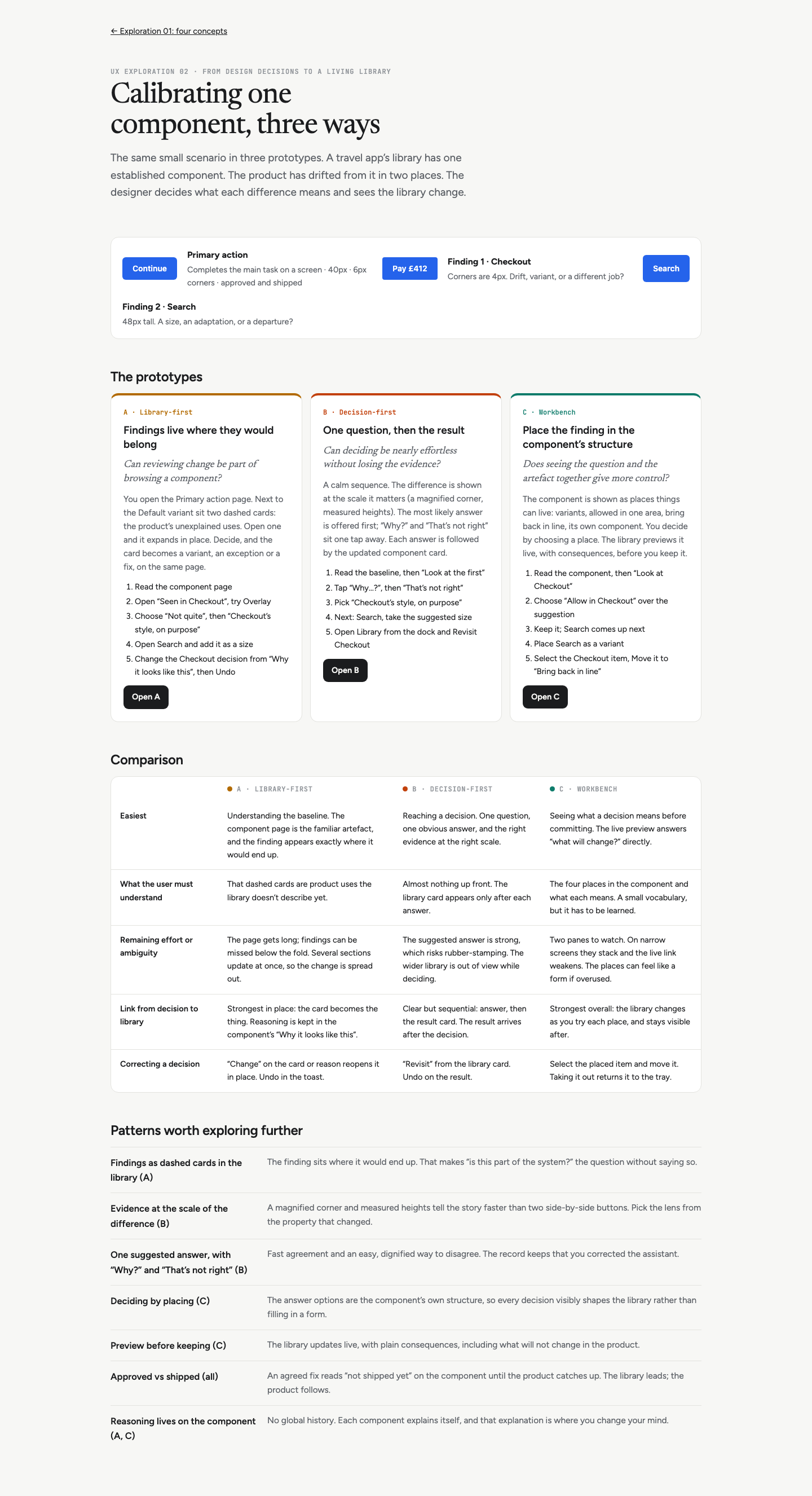 02-00-overview.png · live pageExploration 02 overview: shared scenario, three prototypes, comparison and patterns.
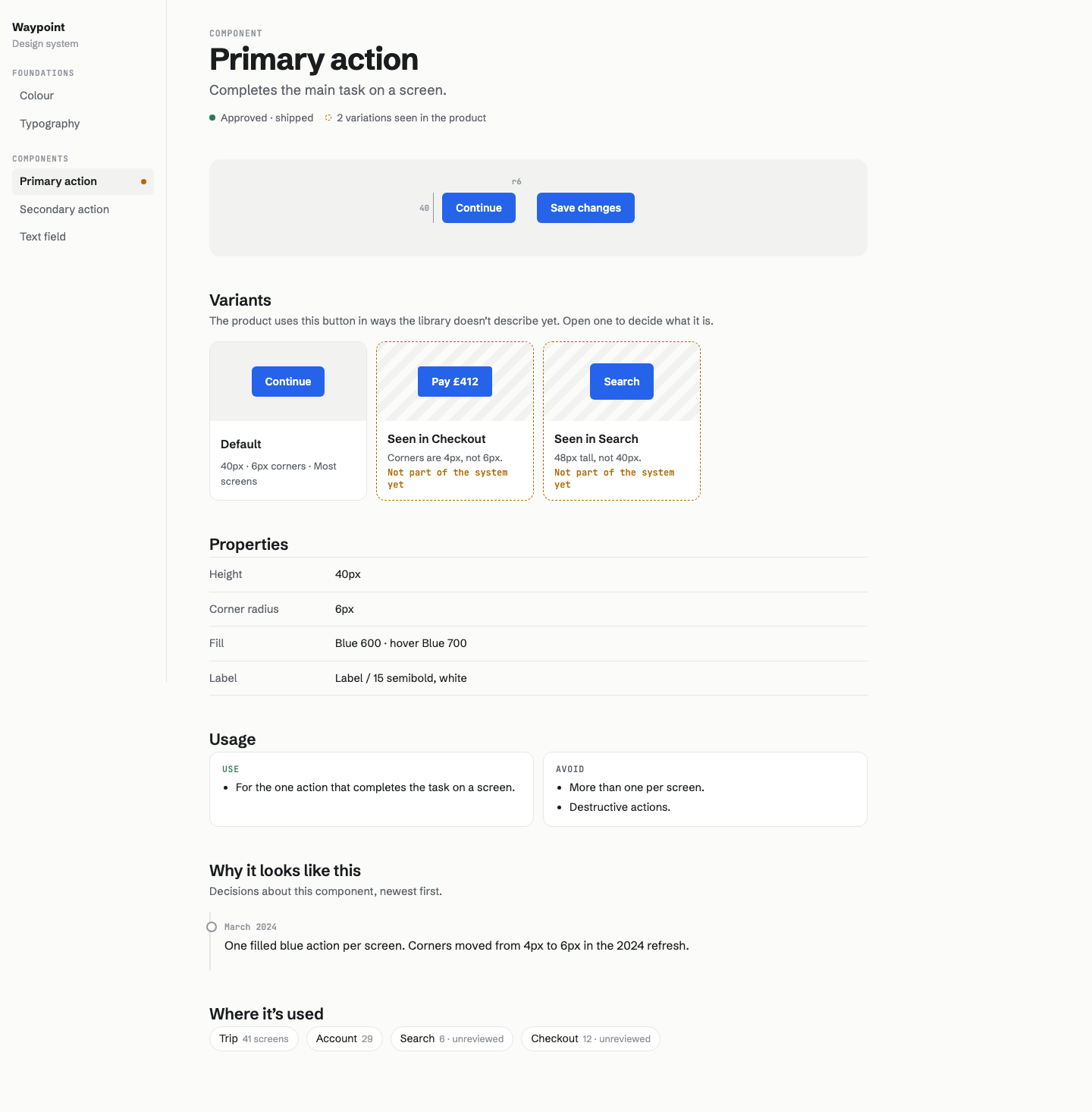 02-A1-library-baseline.png · live pageA · Library-first: the Primary action page. Two dashed cards next to Default are product uses the library doesn’t describe yet.
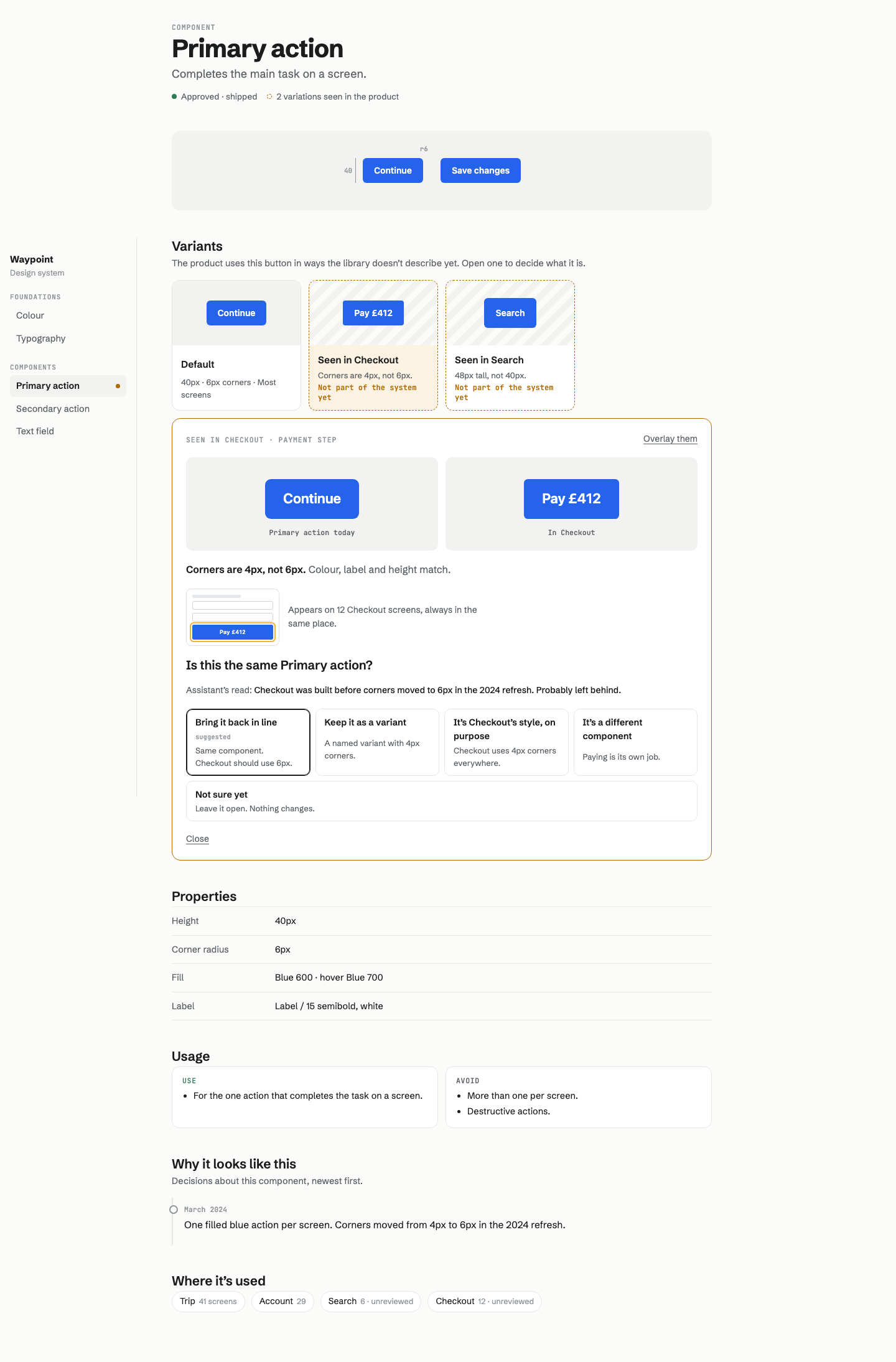 02-A2-library-review.png · live pageA · Checkout card expanded in place: comparison, difference, context, question, suggested answer, and the “Not quite” alternatives.
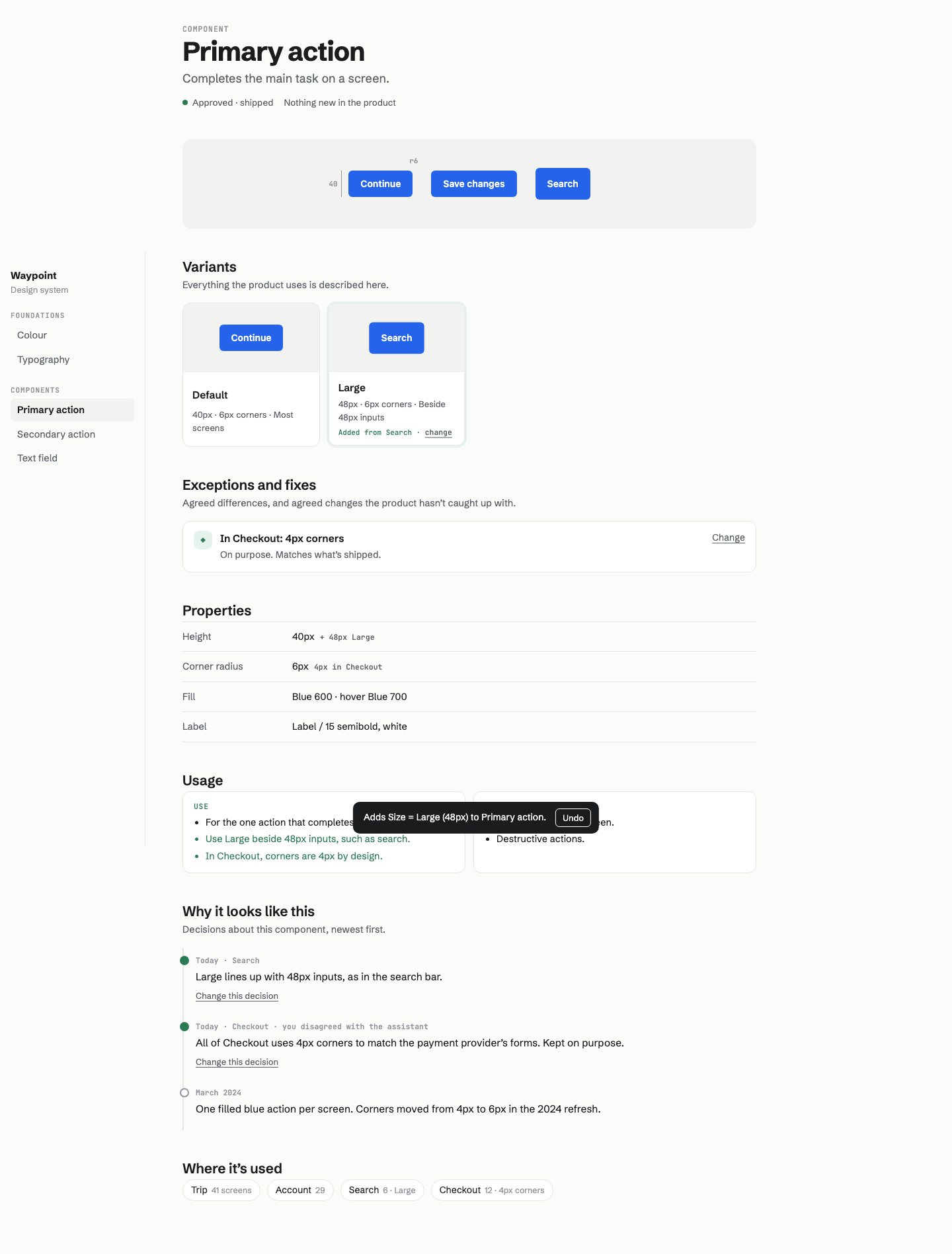 02-A3-library-after.png · live pageA · After both decisions: Large is a variant, Checkout is an exception, properties, usage and “Why it looks like this” all updated.
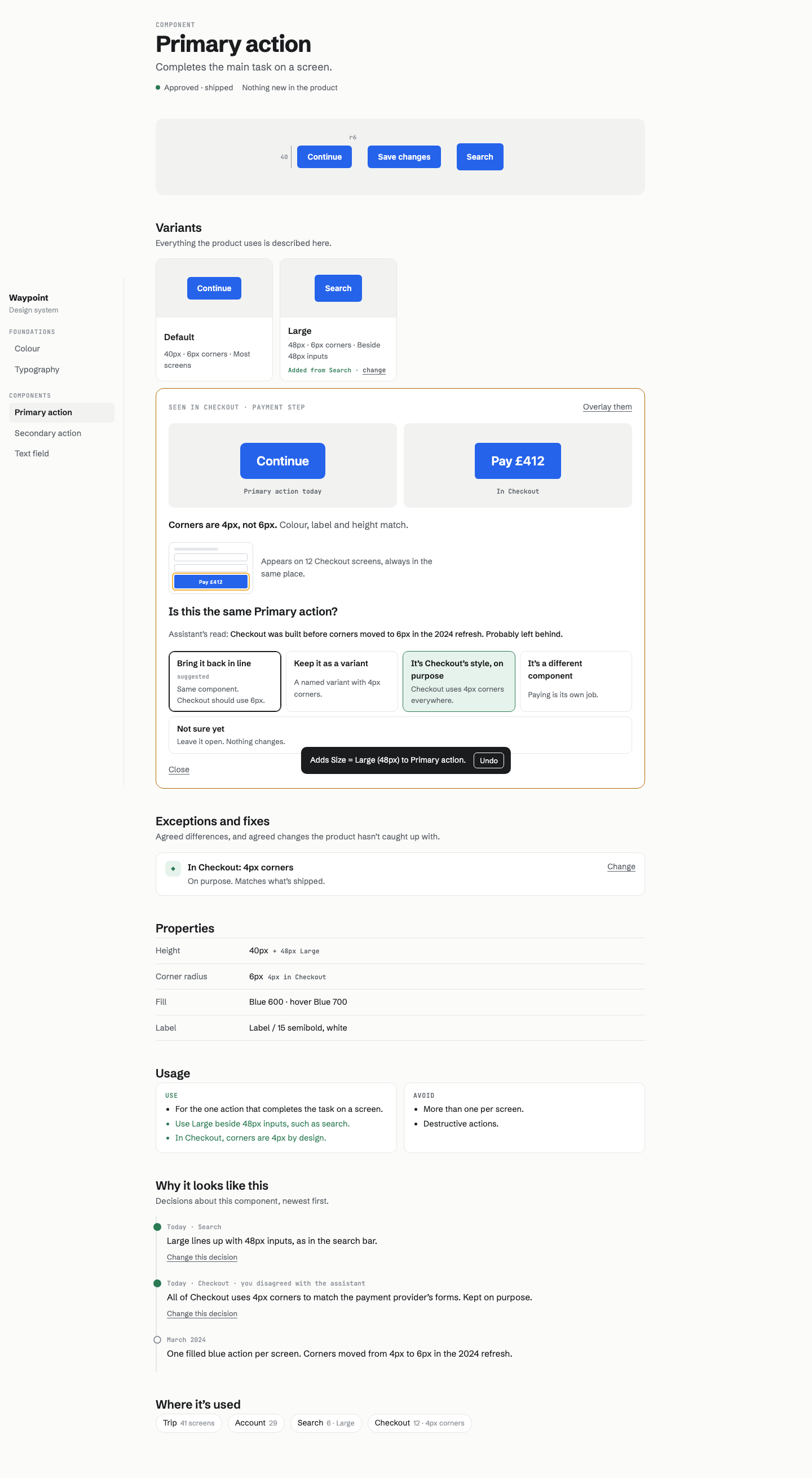 02-A4-library-change.png · live pageA · Changing an earlier decision reopens the same panel with the current answer highlighted.
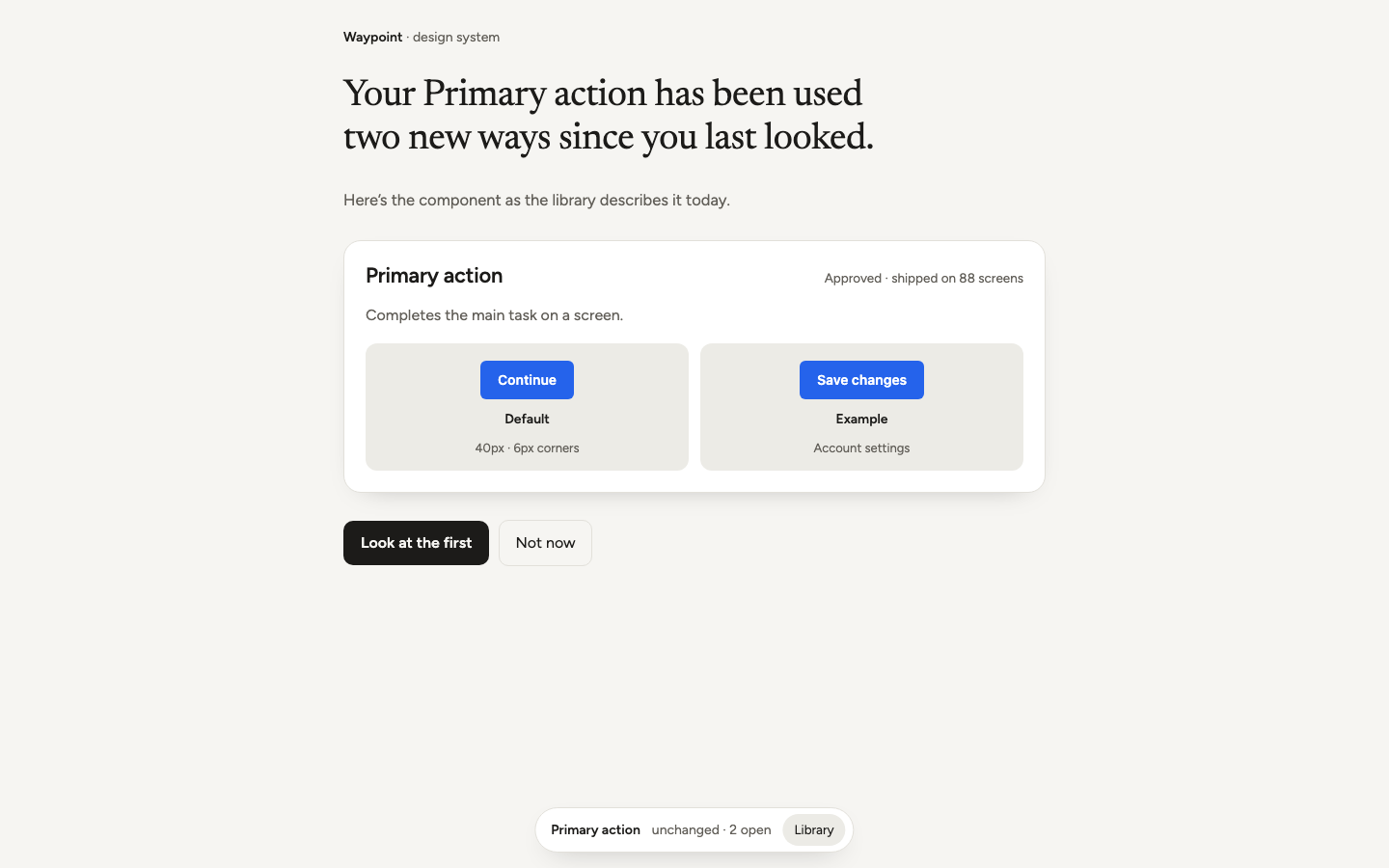 02-B1-decision-baseline.png · live pageB · Decision-first: the component as it is today, and a single prompt to look at the first change.
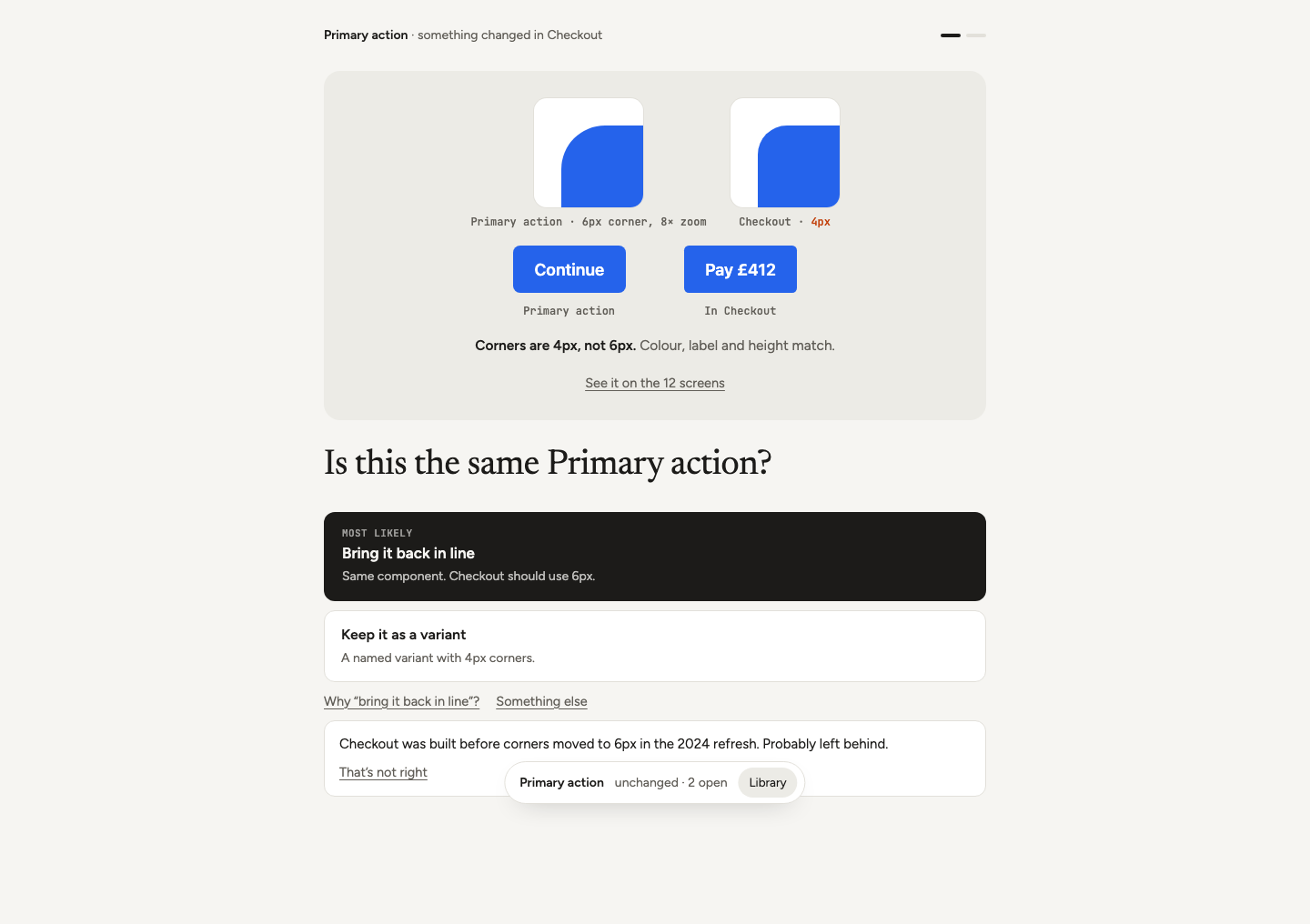 02-B2-decision-question.png · live pageB · One question with evidence at the scale of the difference (magnified corners), the most likely answer first and “Why?” expanded.
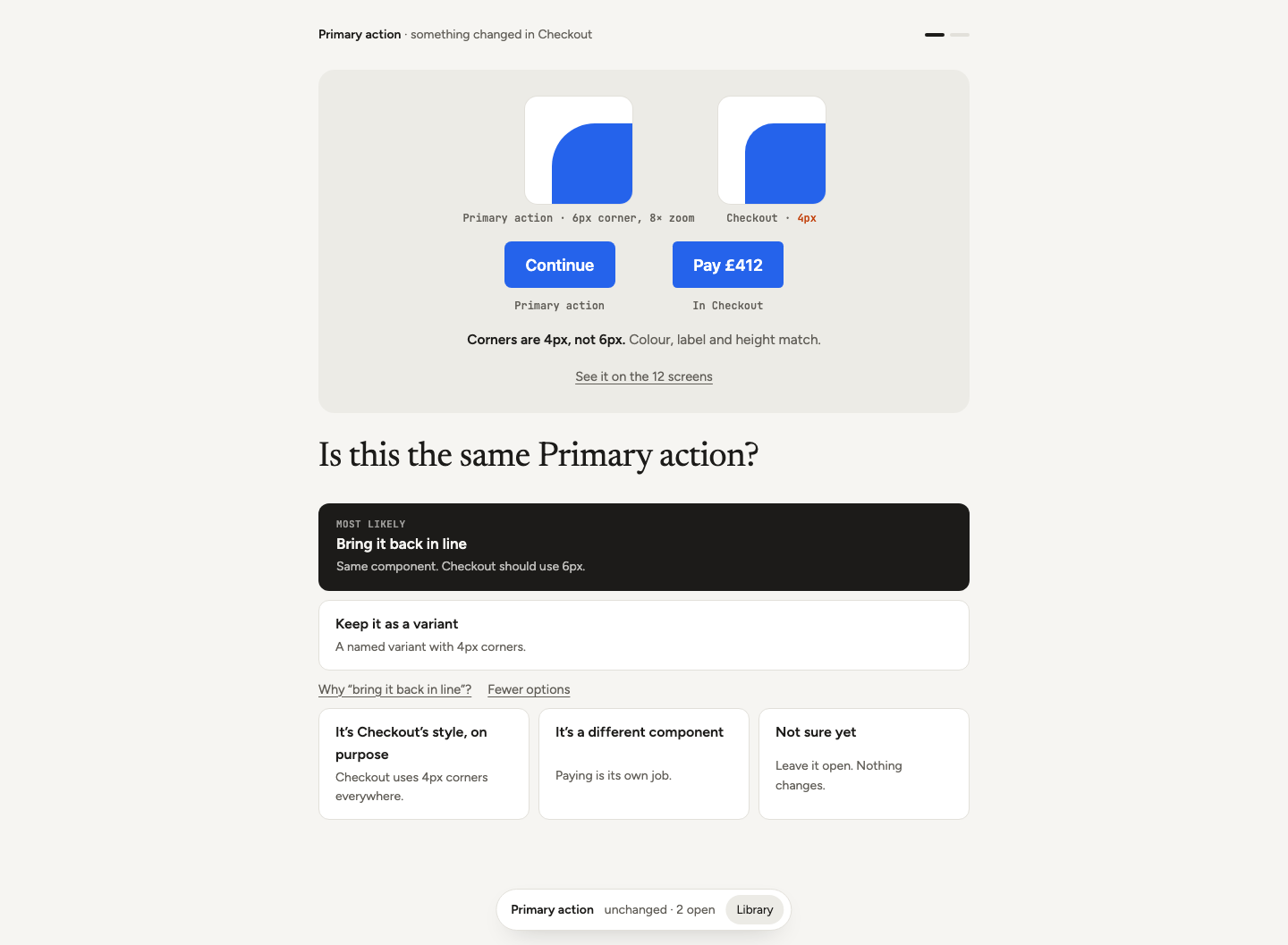 02-B3-decision-challenge.png · live pageB · “That’s not right” reveals other readings so the designer can correct the assistant.
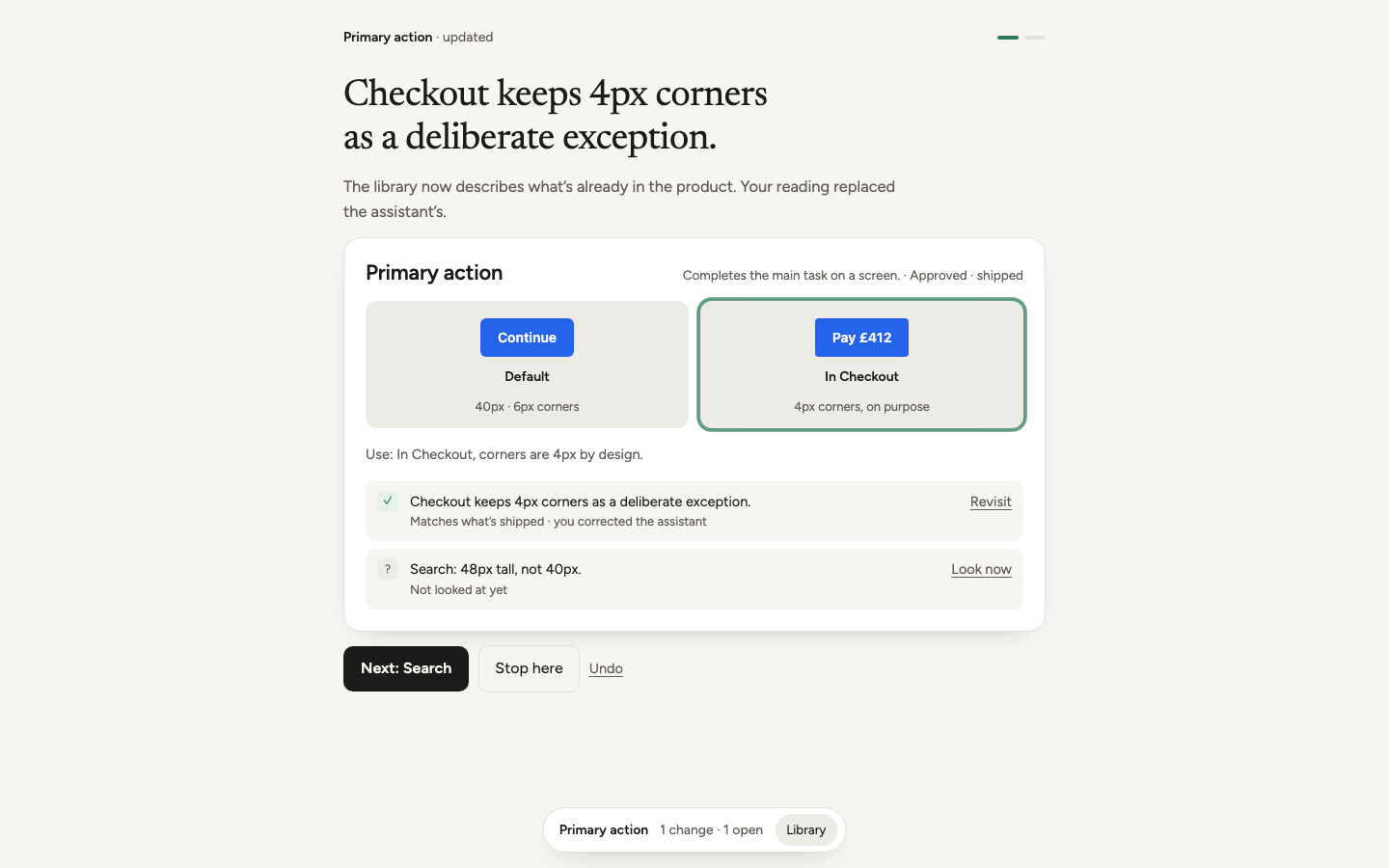 02-B4-decision-result.png · live pageB · Result: what was decided, whether the product changes, and the updated component card.
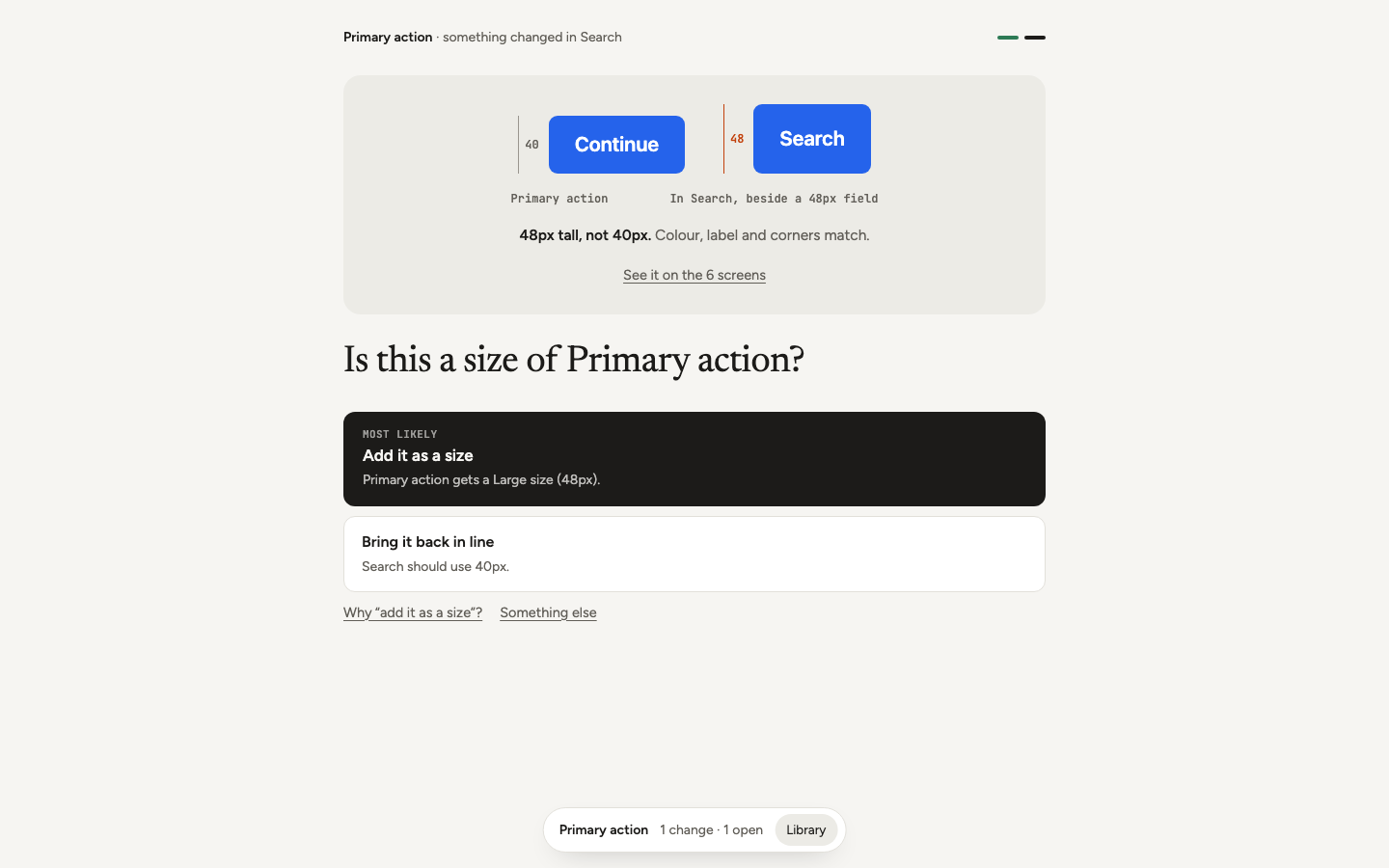 02-B5-decision-search.png · live pageB · Second question: Search height shown with measured rulers.
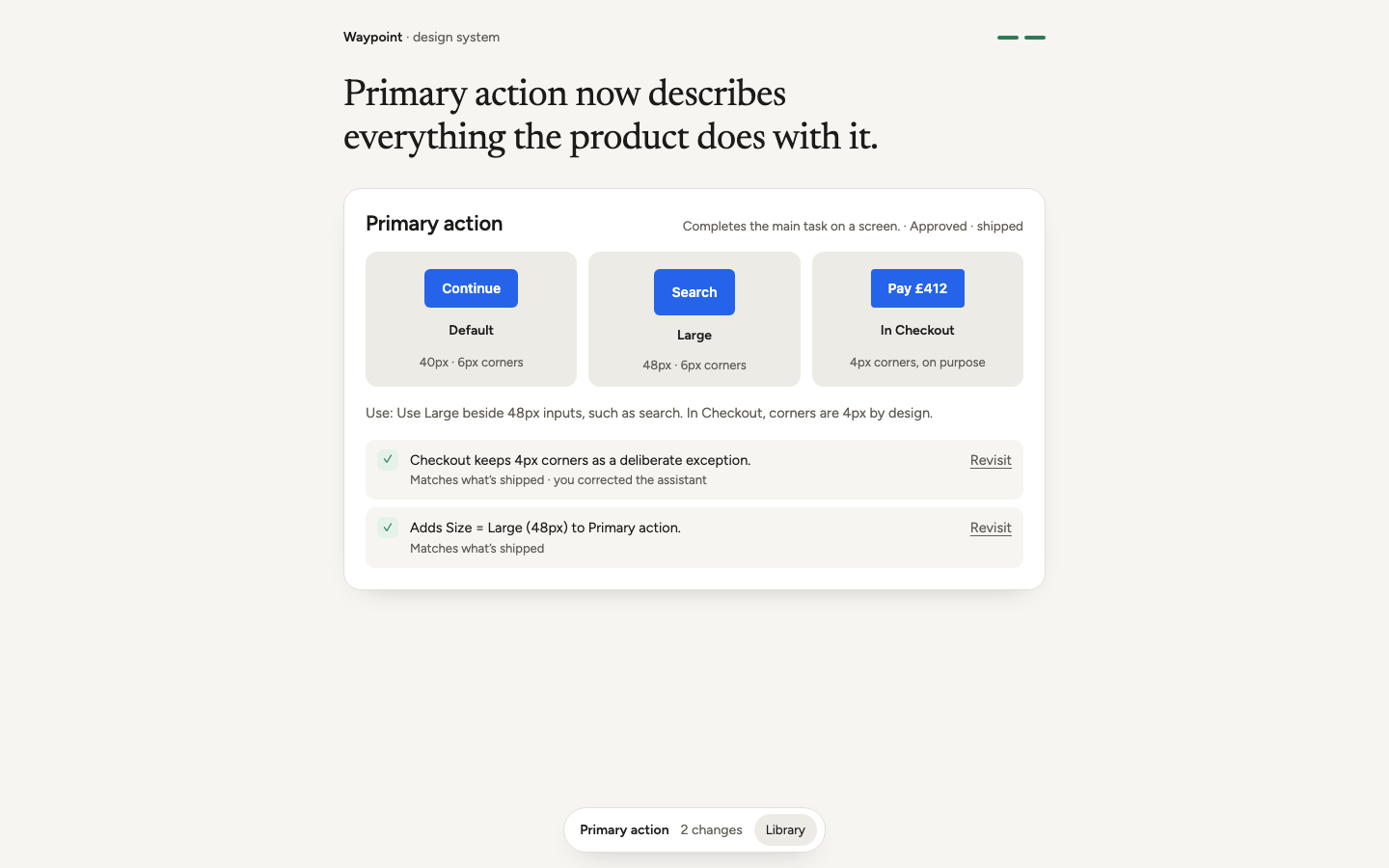 02-B6-decision-library.png · live pageB · Library view: variants and exceptions, each change with Revisit.
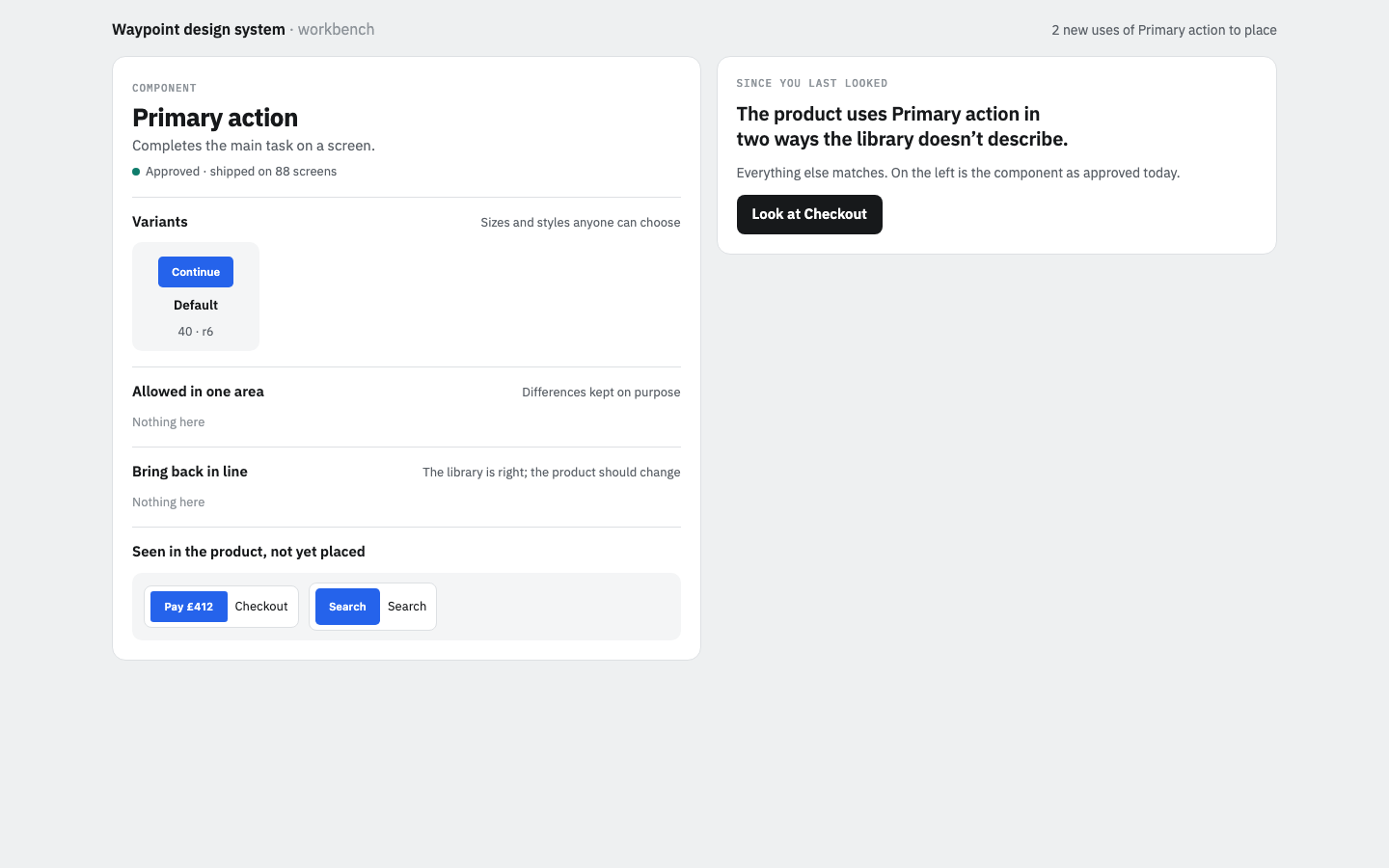 02-C1-workbench-baseline.png · live pageC · Workbench: the component as places a finding can go (left) and a short introduction (right).
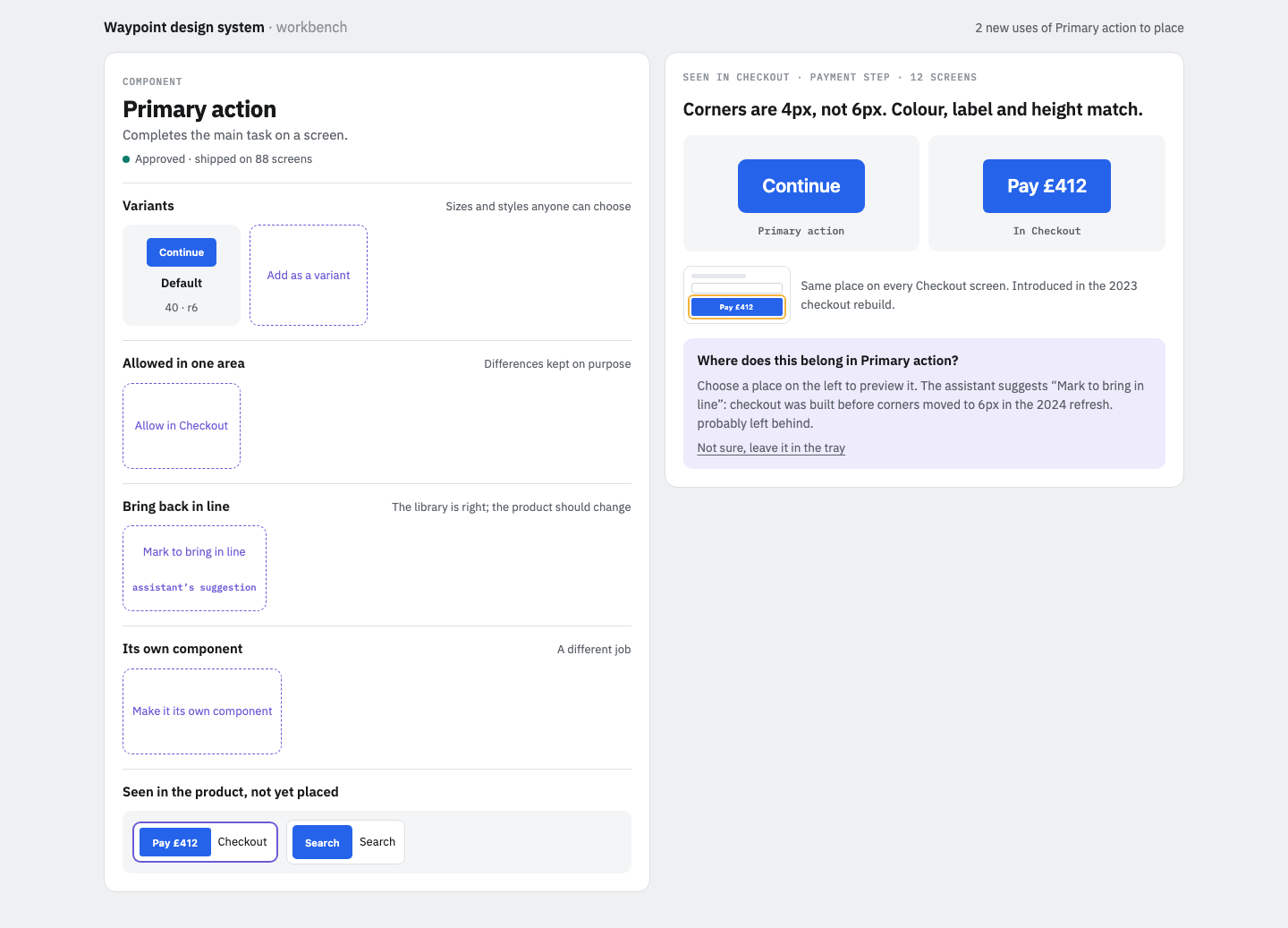 02-C2-workbench-finding.png · live pageC · Checkout finding on the right; places on the left, one marked as the assistant’s suggestion.
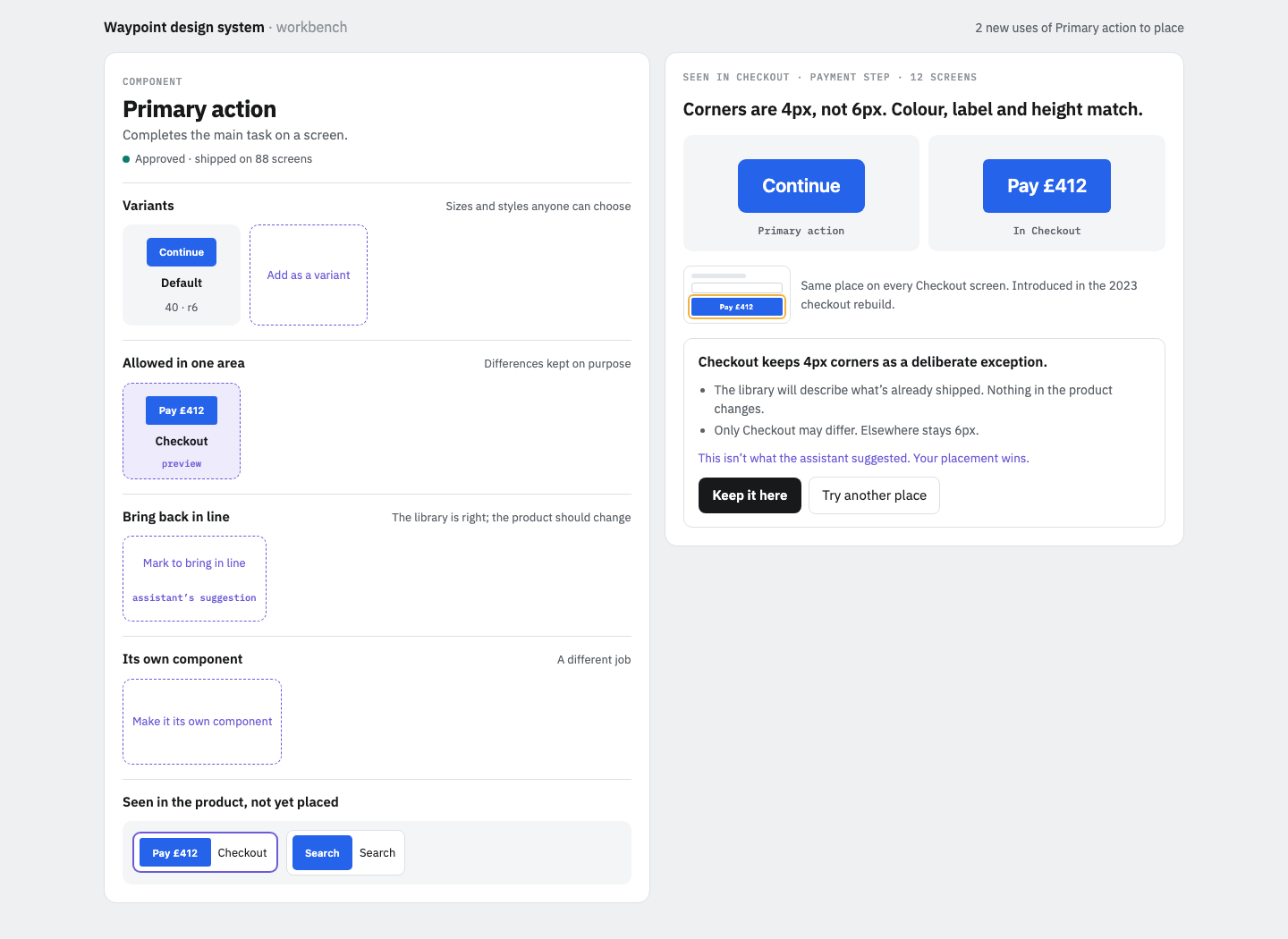 02-C3-workbench-preview.png · live pageC · Choosing a different place previews it live in the library with consequences, noting it overrides the suggestion.
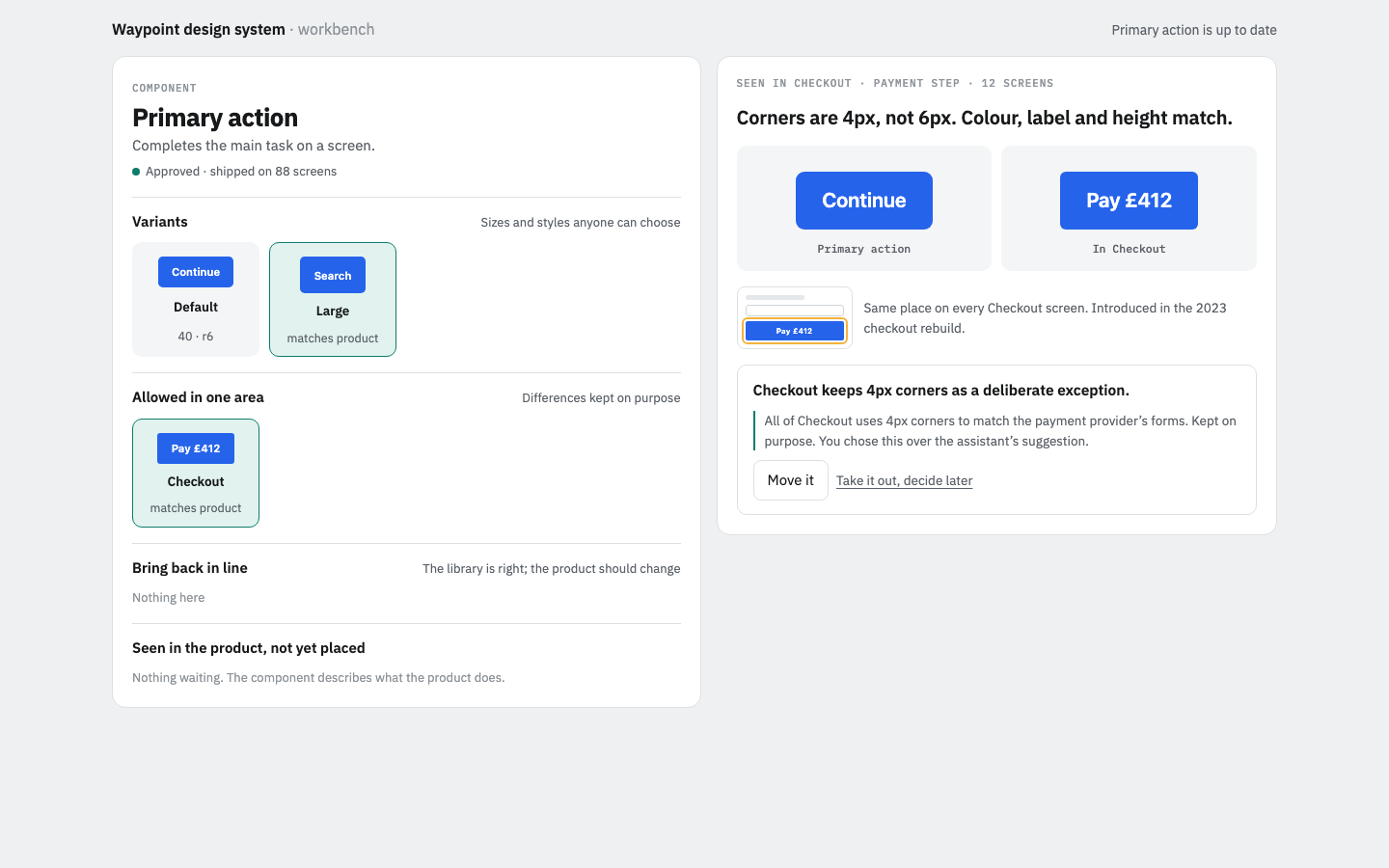 02-C4-workbench-after.png · live pageC · Both placed. Selecting the Checkout item shows its reasoning and lets you move it or take it out.